
Work that speaks for itself.
A collection of software, platforms, and digital experiences we've designed and engineered to help businesses innovate, grow, and succeed.
Inventory Tracking System
A complete inventory-management platform that gives businesses real-time visibility into stock levels, movements, and value — from a powerful web dashboard and native iOS and Android apps that stay perfectly in sync.
Overview
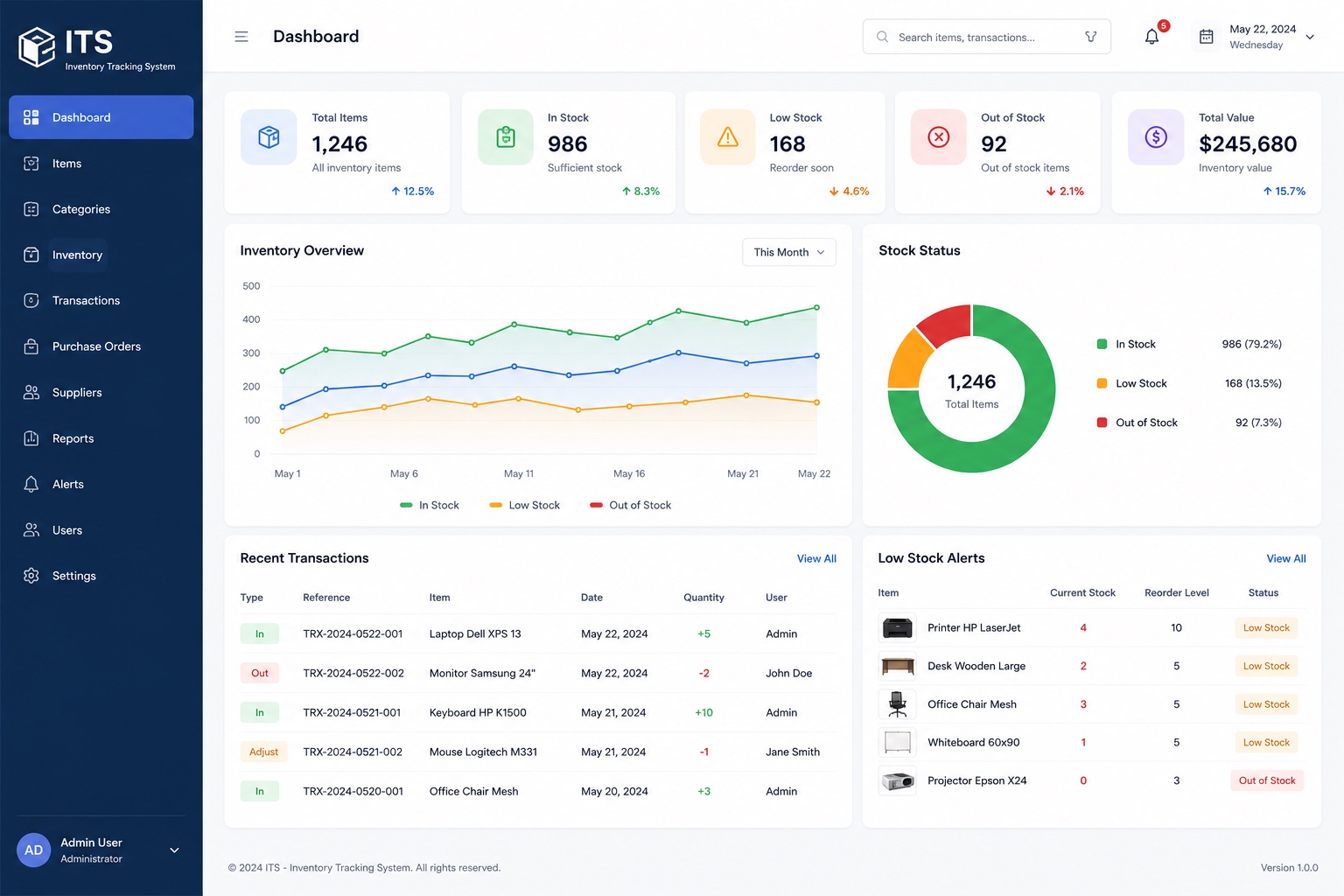
ITS helps teams track every item from purchase to sale in one place. A live dashboard surfaces total items, in-stock, low-stock and out-of-stock counts alongside total inventory value, while stock-overview trends and a stock-status breakdown make patterns easy to read at a glance.
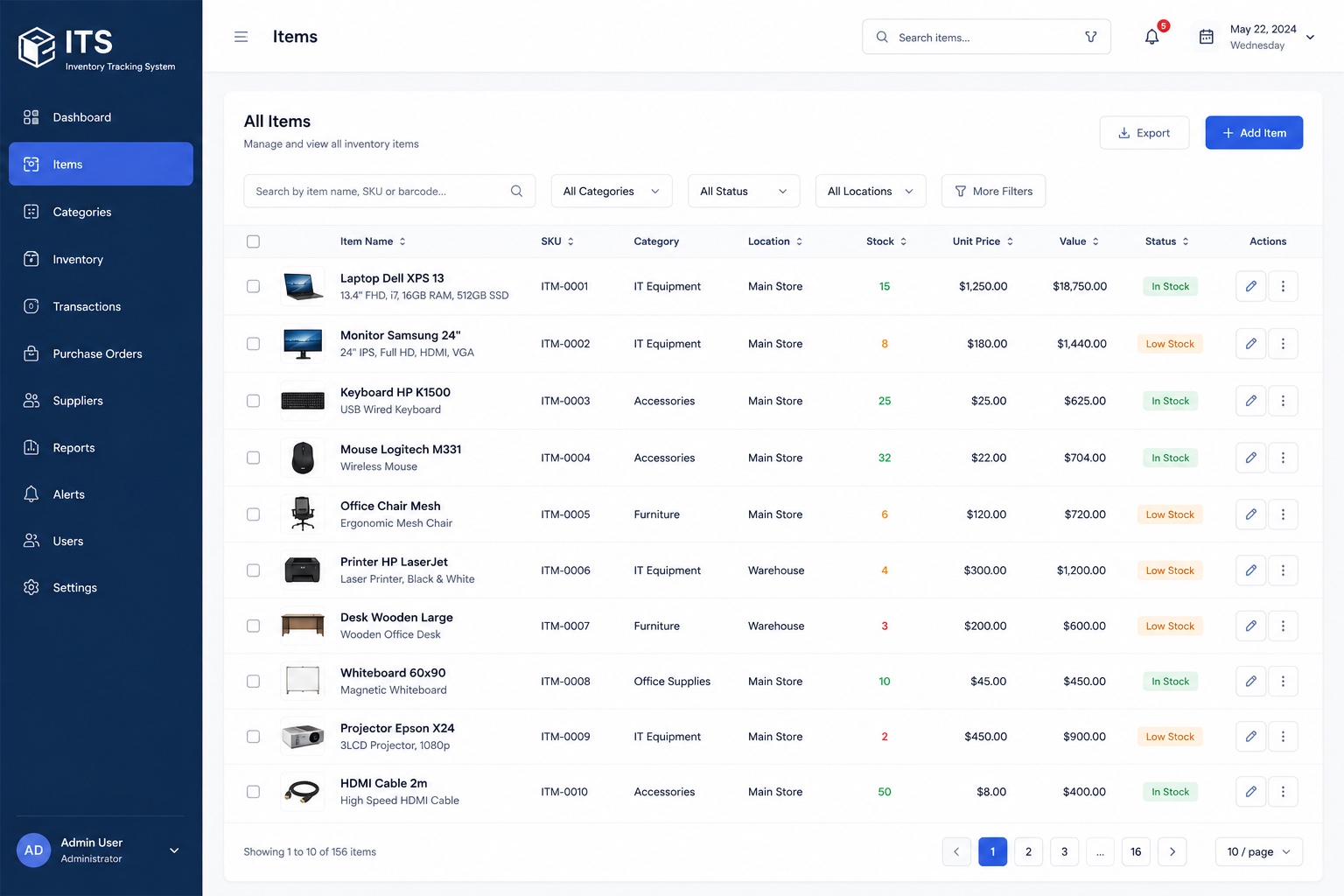
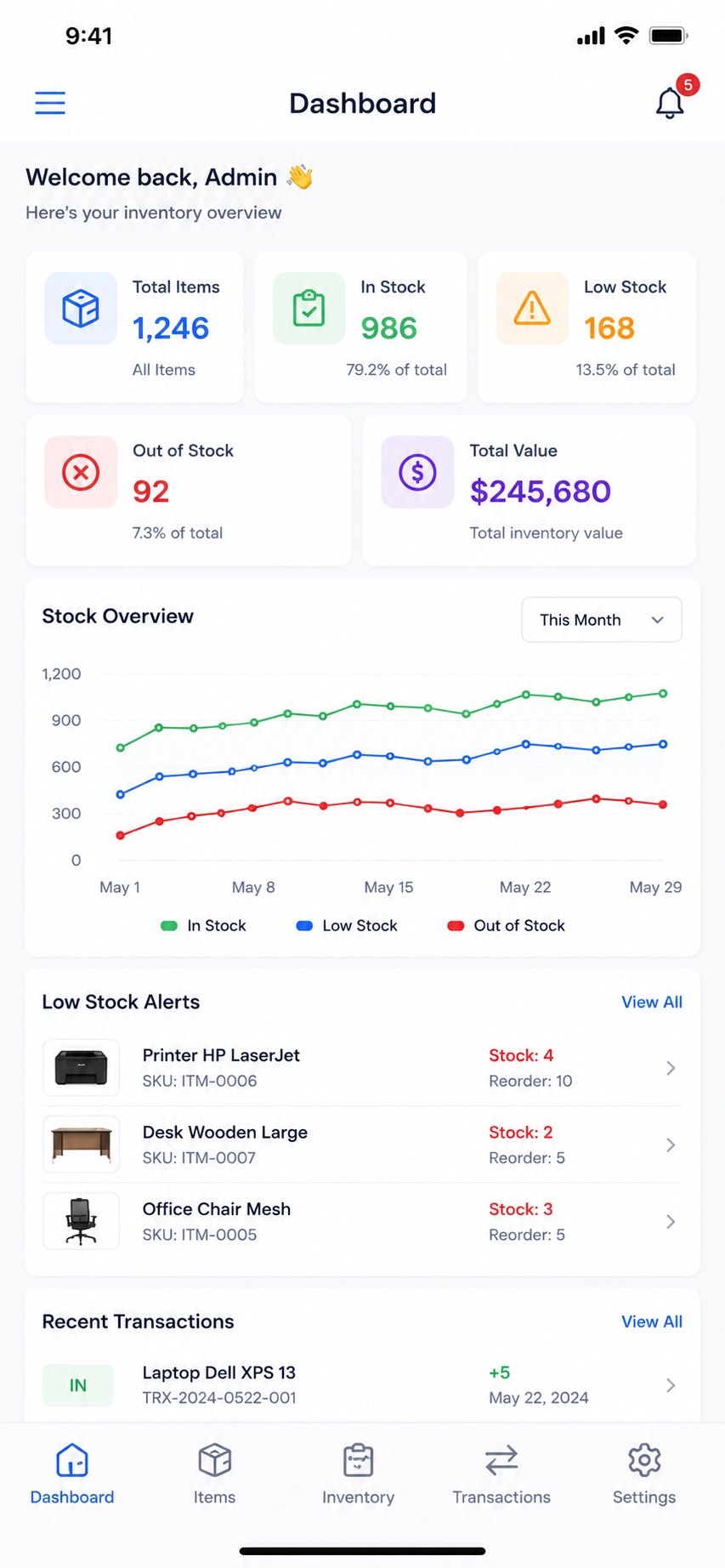
Warehouse and store staff can record stock in, stock out and adjustments, manage suppliers and purchase orders, and act on low-stock alerts before items run out — all from the web dashboard, or on the go from the mobile apps.
Key features
- Real-time dashboard: total items, in / low / out-of-stock, and total inventory value
- Stock-overview trends and a stock-status breakdown
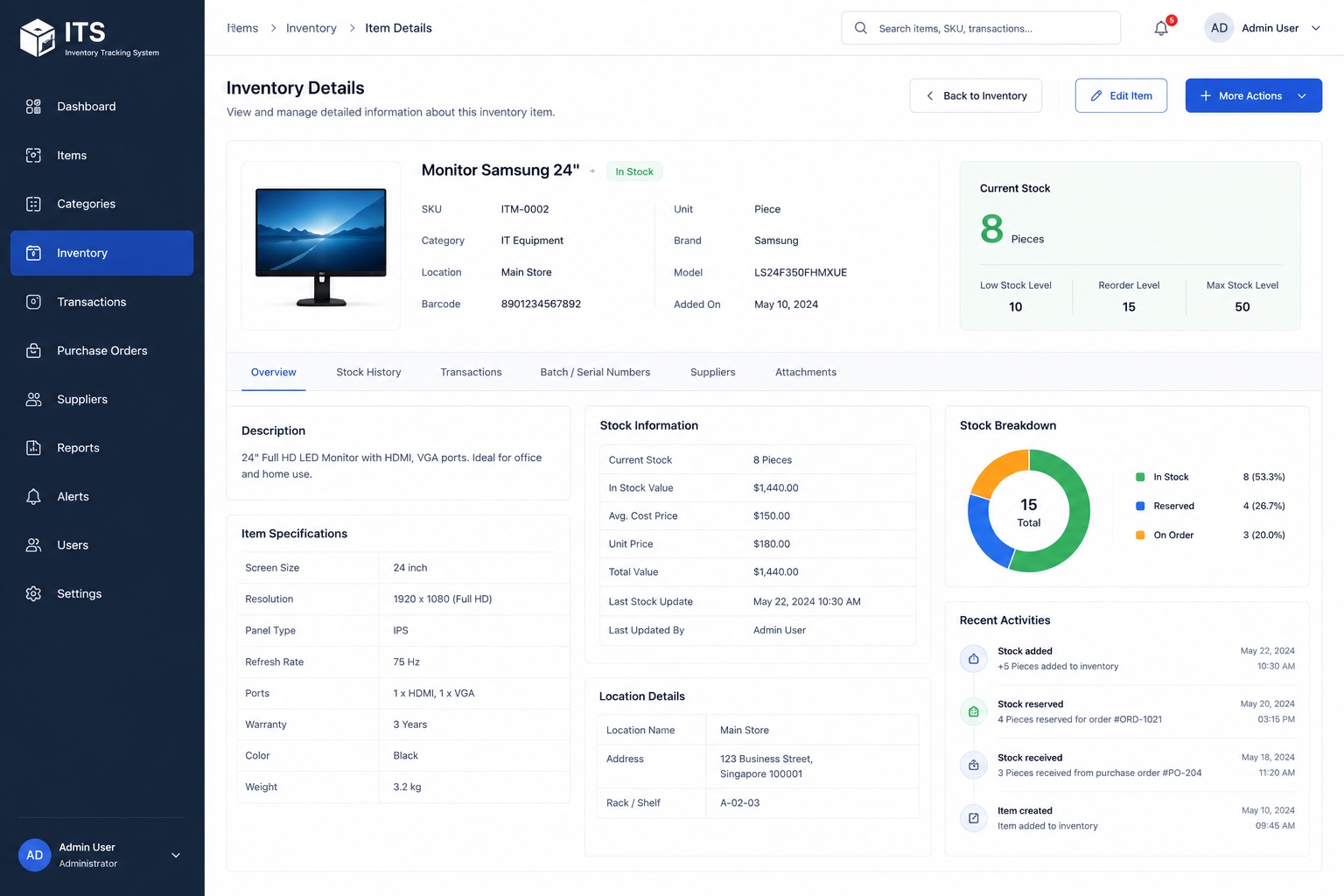
- Item, category and inventory management with SKUs
- Stock in / out / adjustment transactions with full history
- Purchase orders and supplier management
- Low-stock alerts with configurable reorder levels
- Reports and role-based user access
- A consistent, synced experience across web, iOS and Android
On mobile
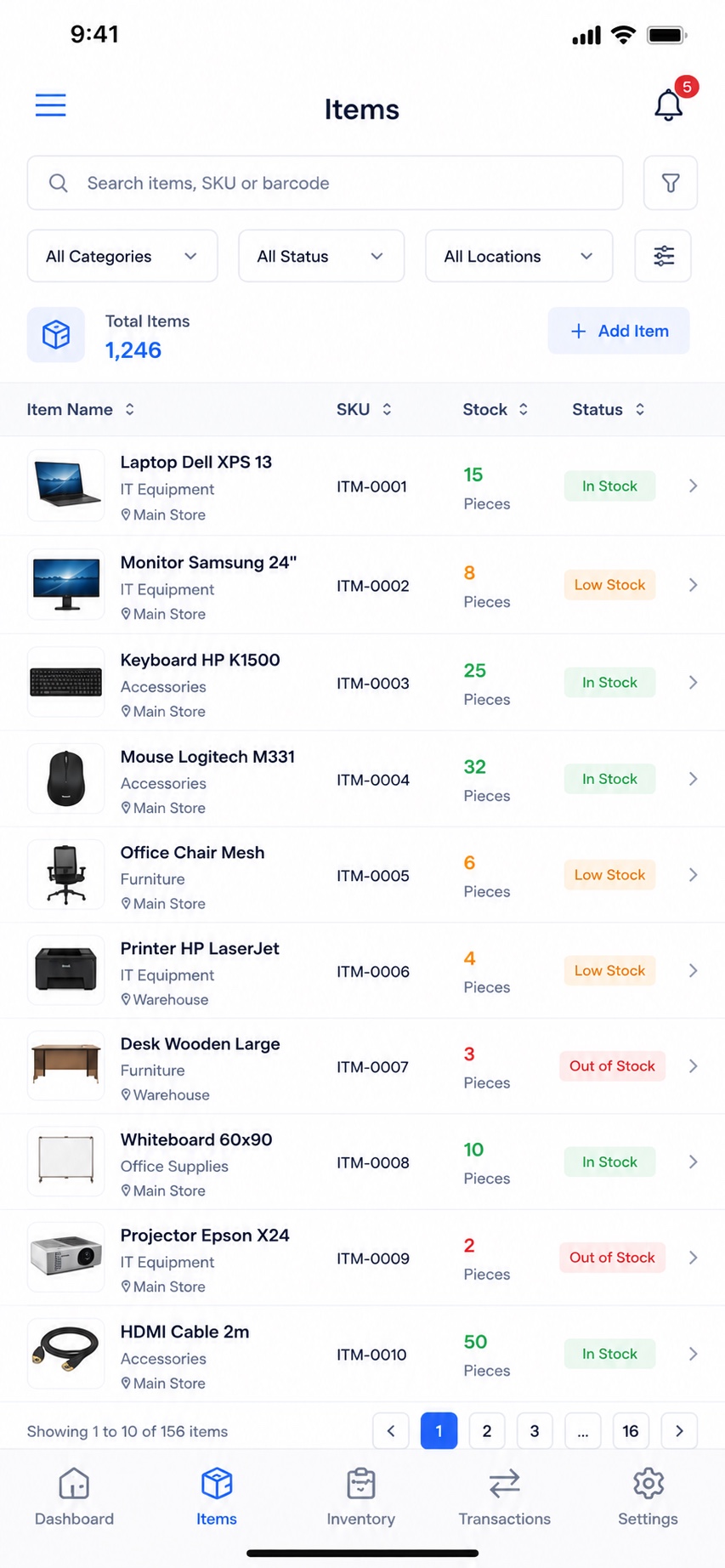
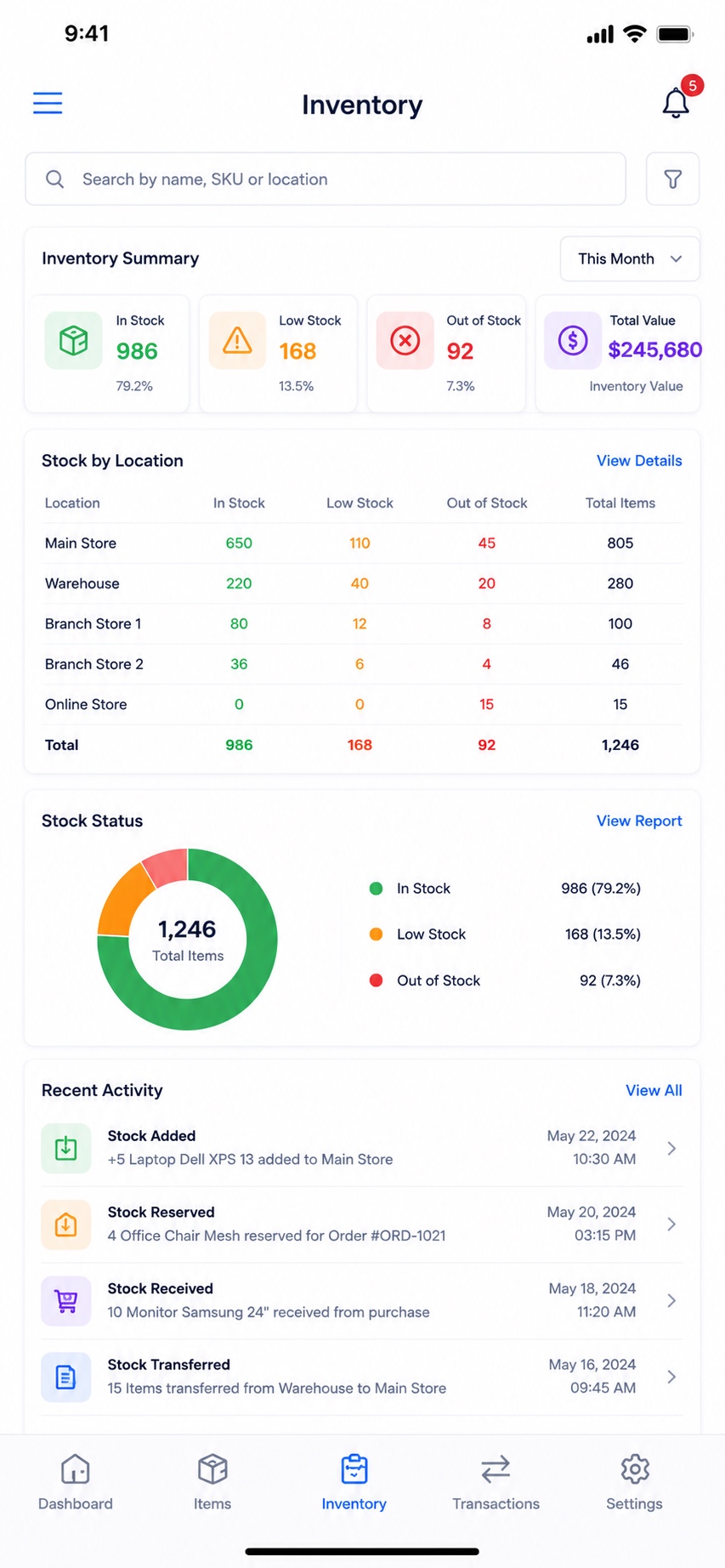
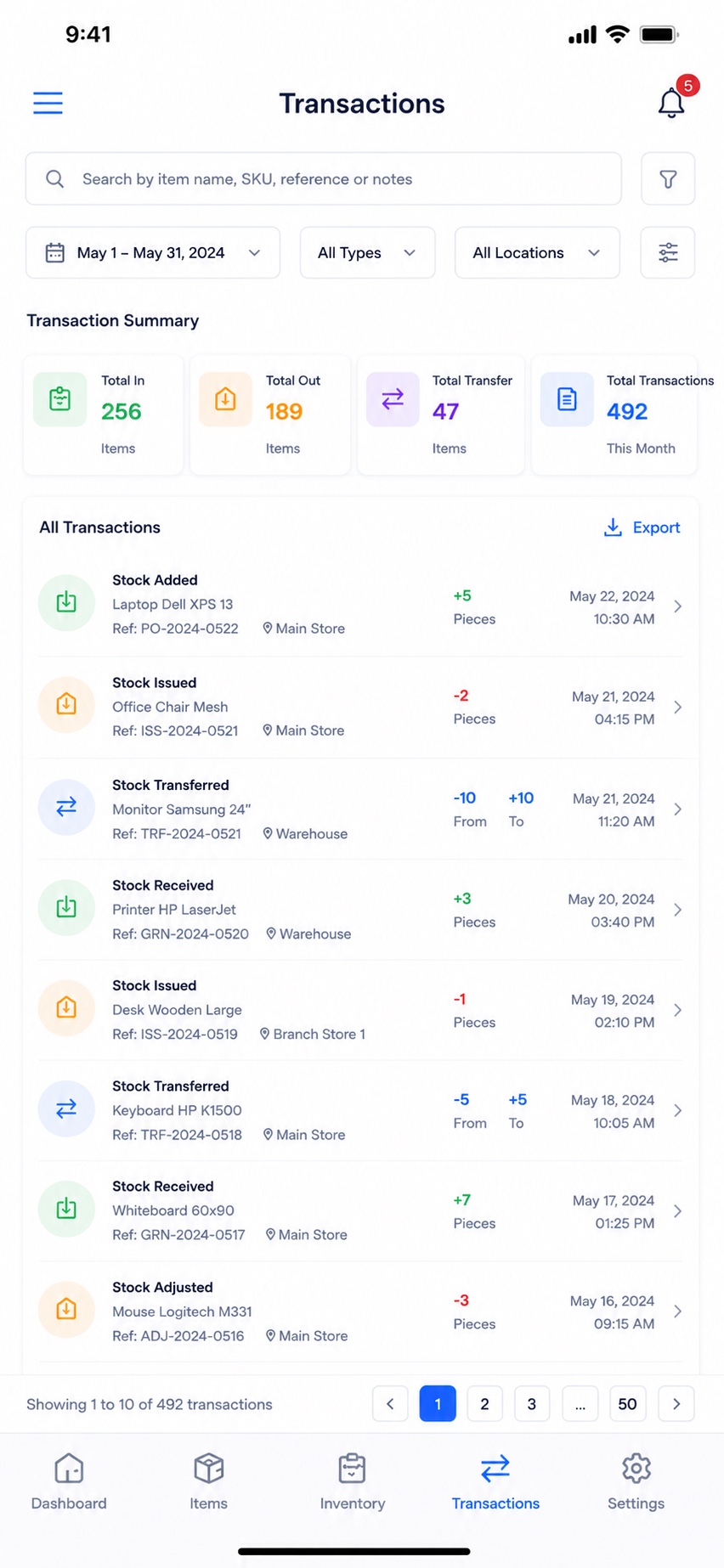
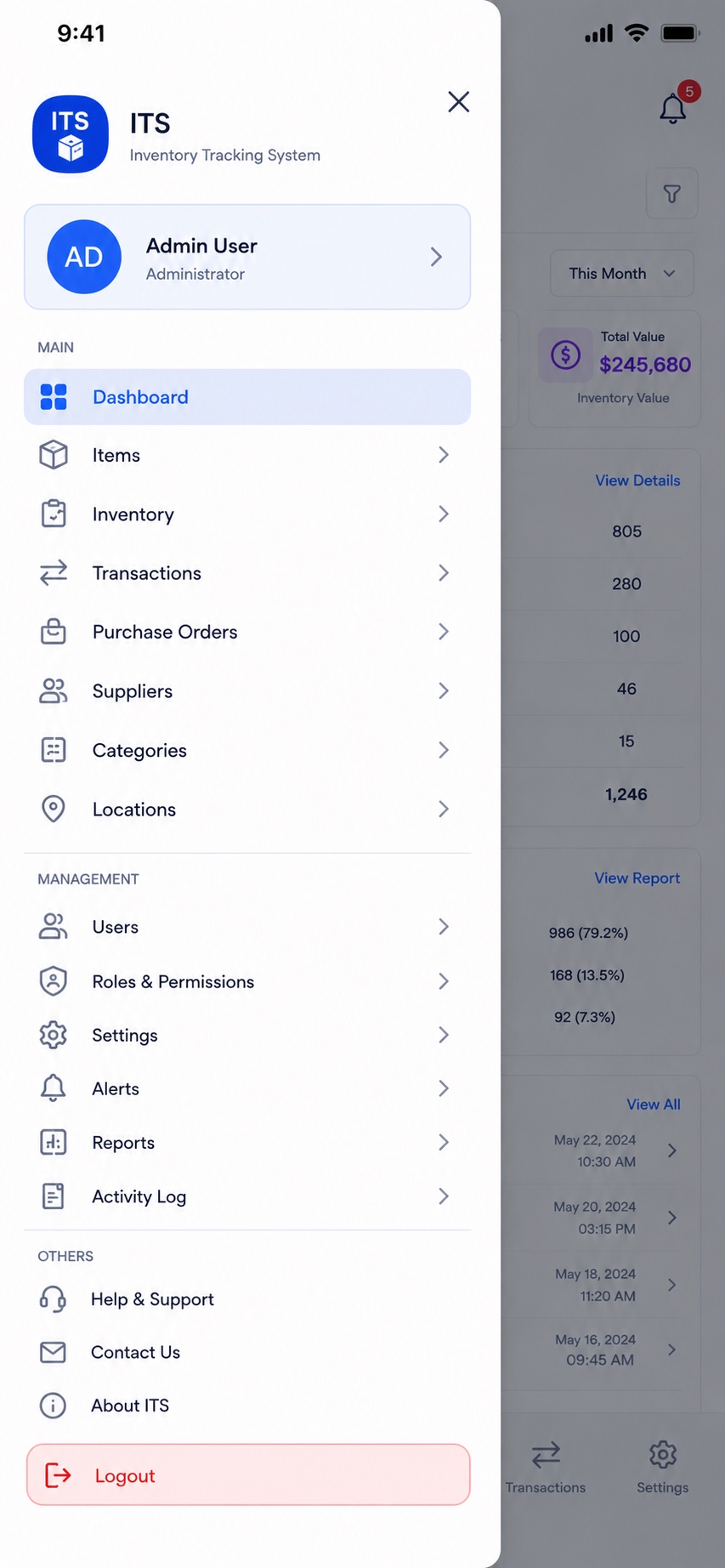
Delivery Management System
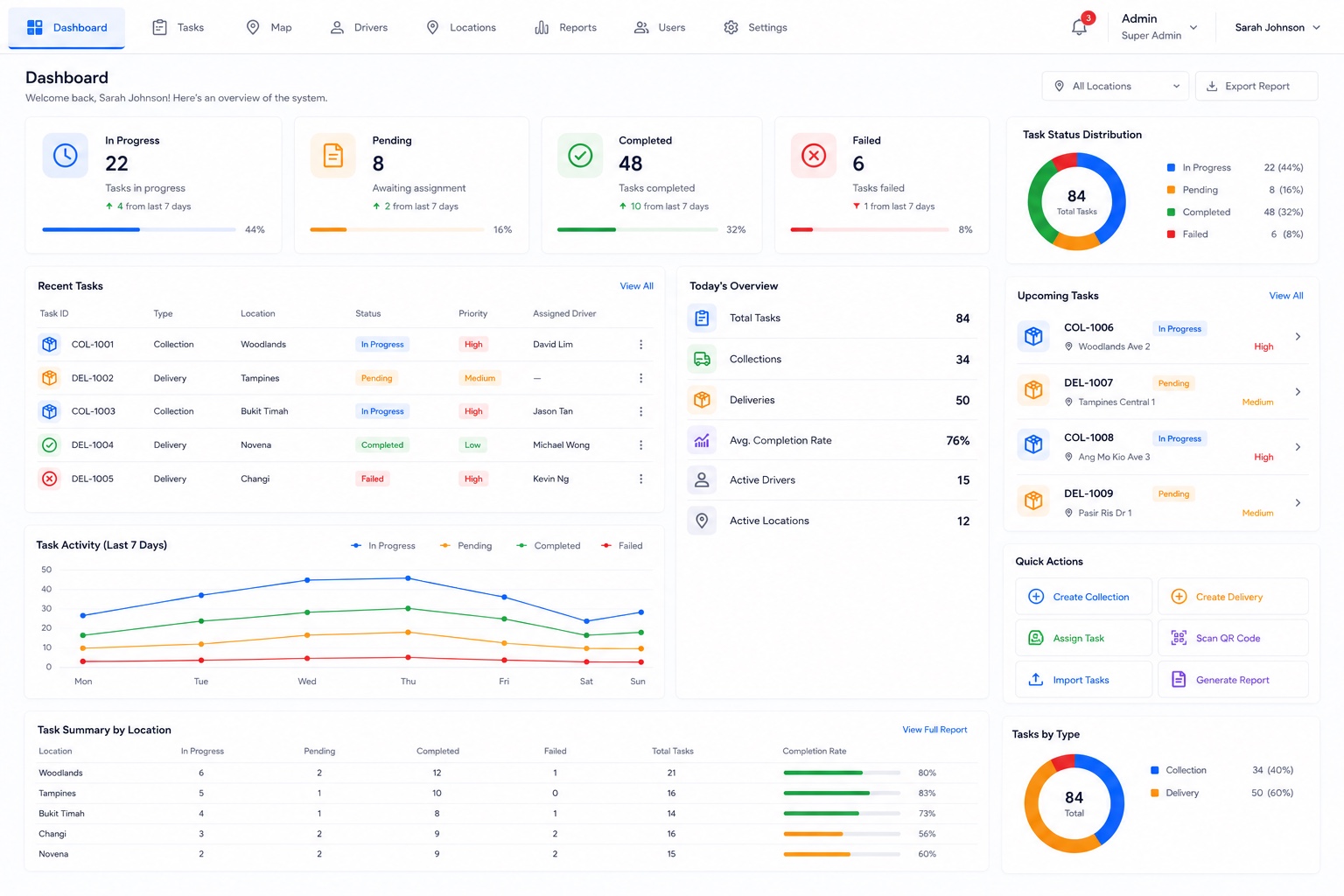
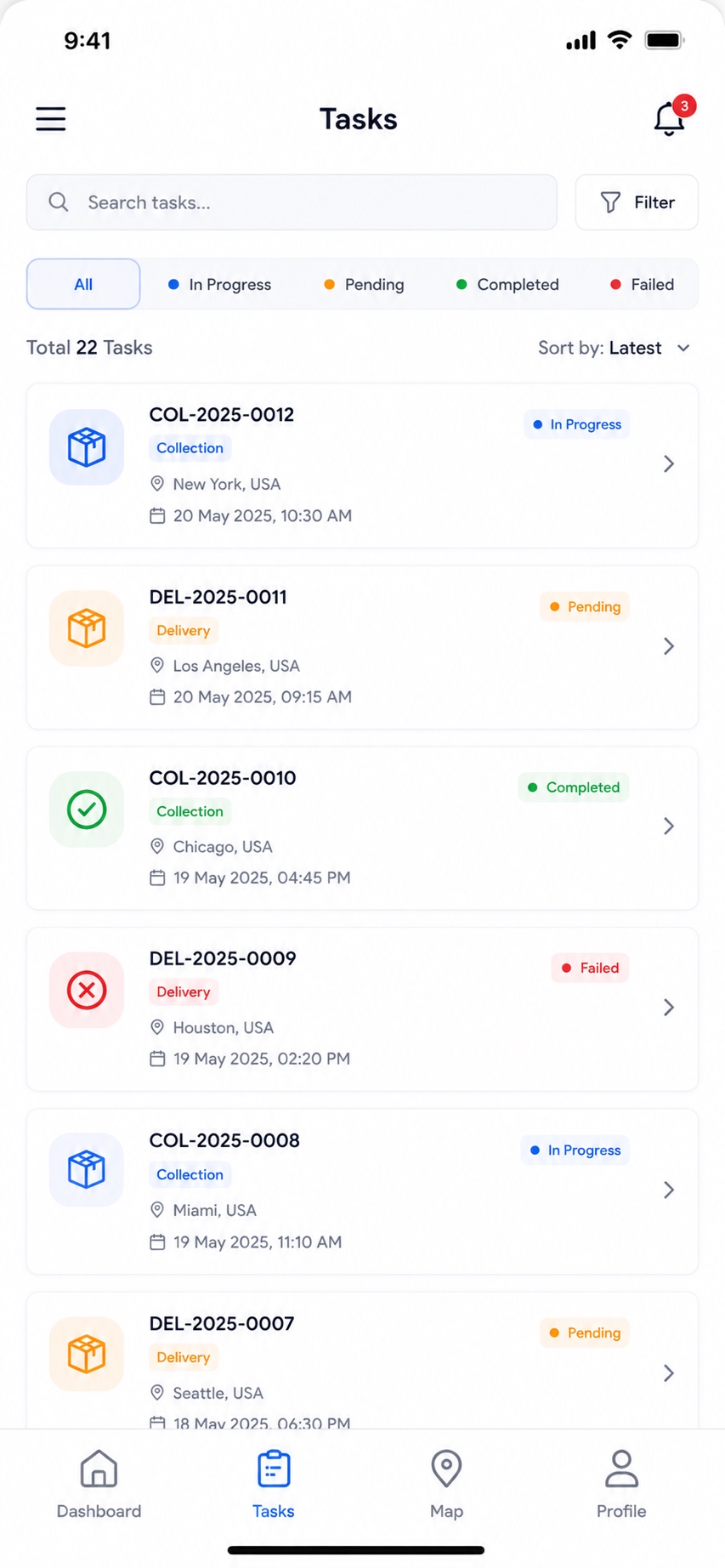
A collection & delivery management platform that helps dispatch teams assign, track and complete tasks in real time — with a powerful web admin dashboard and native driver apps for iOS and Android.
Overview
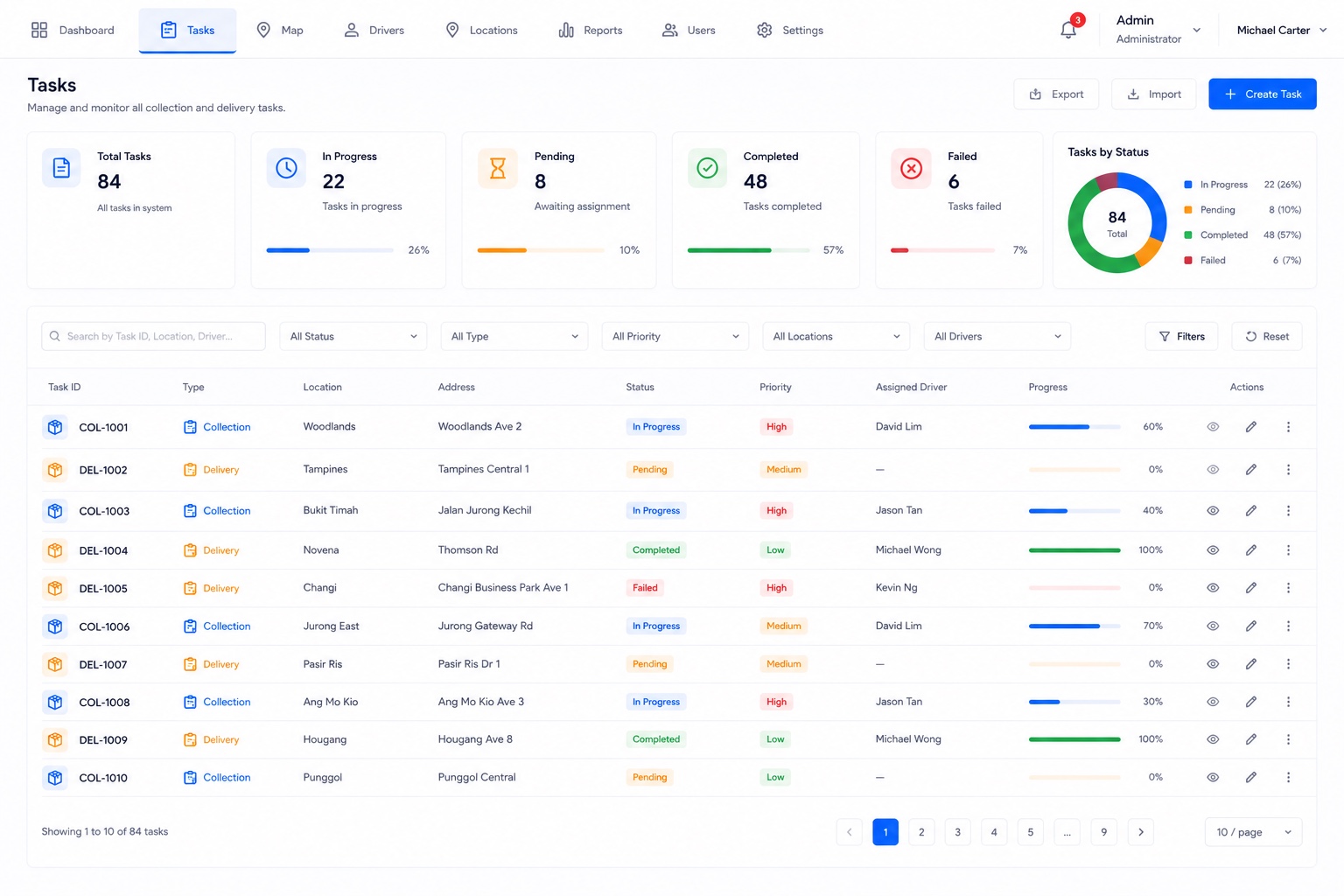
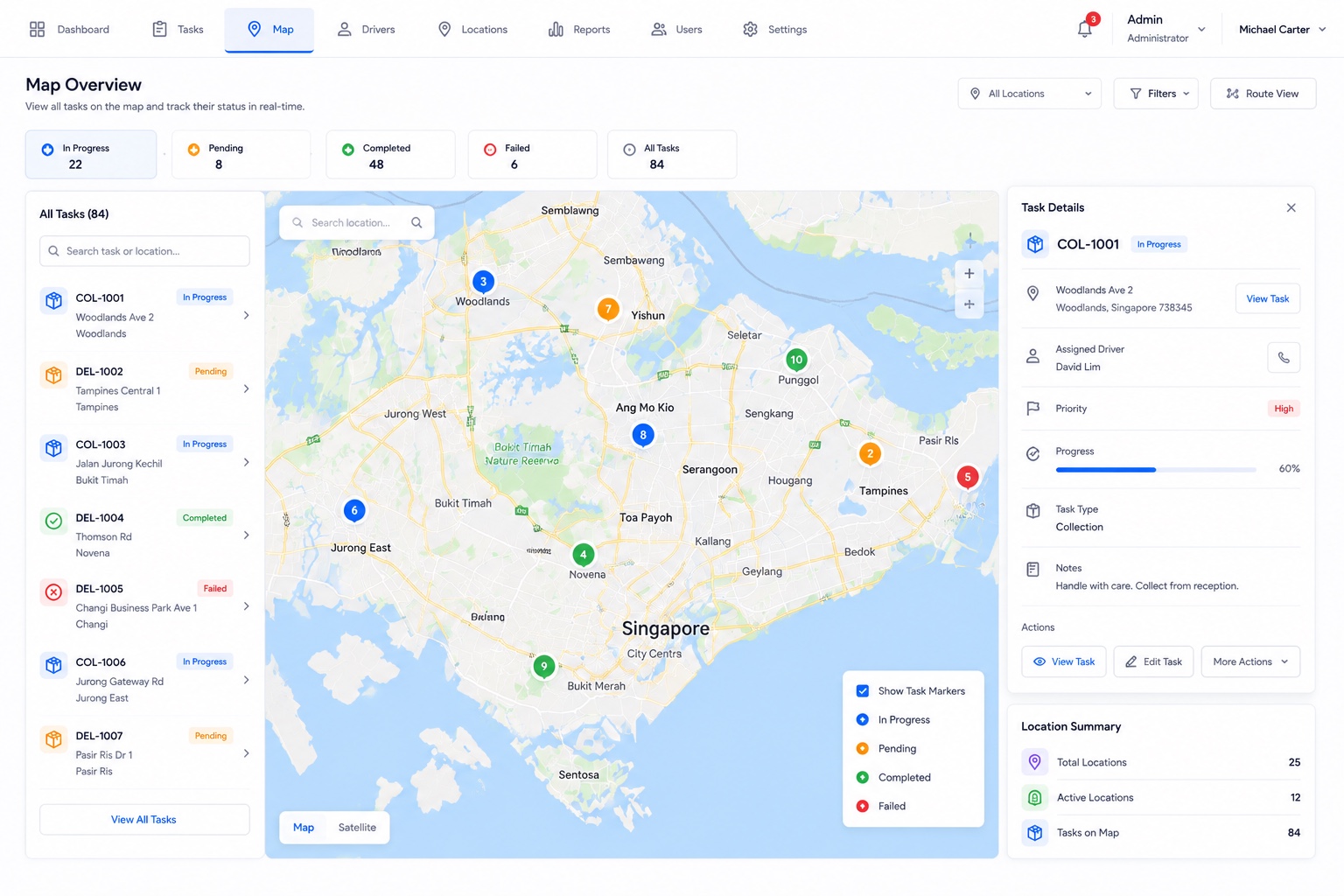
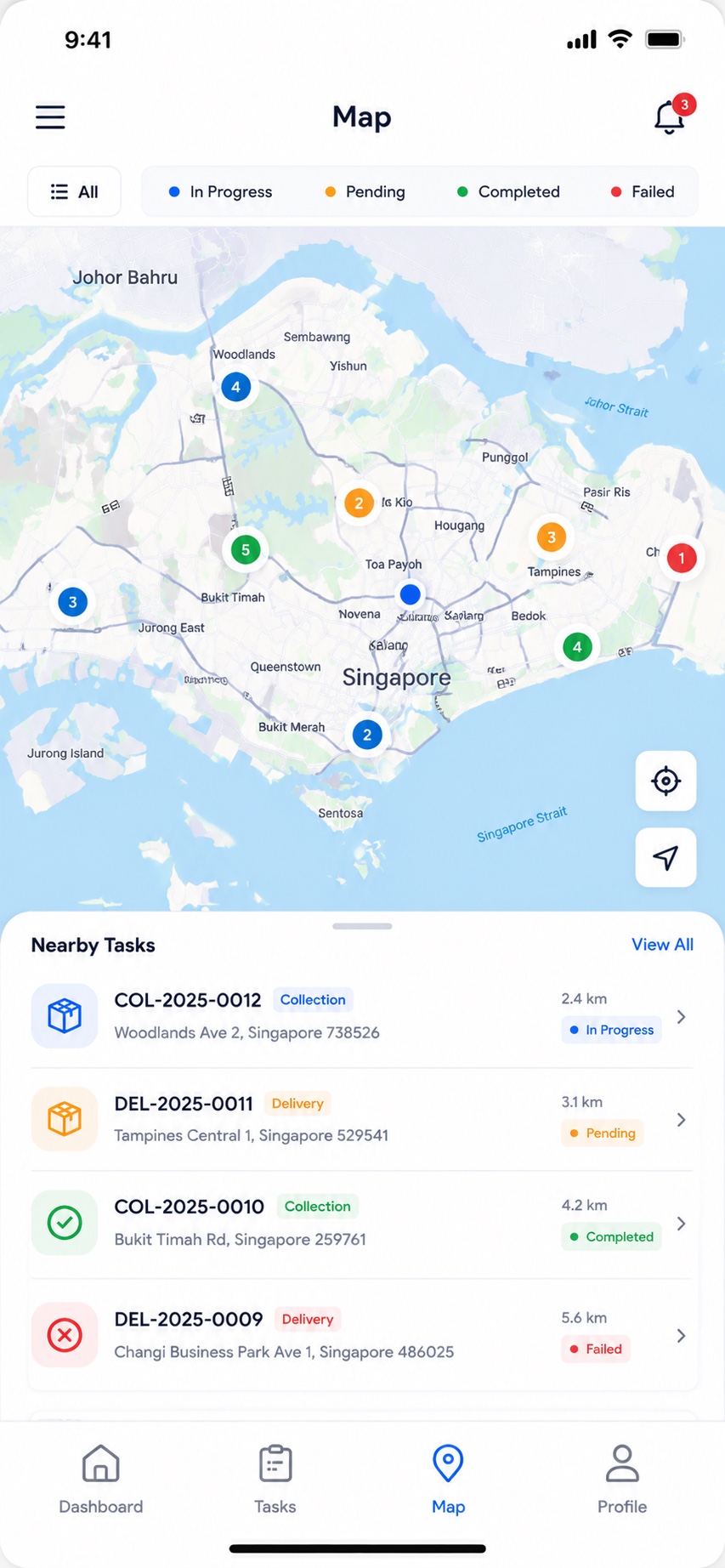
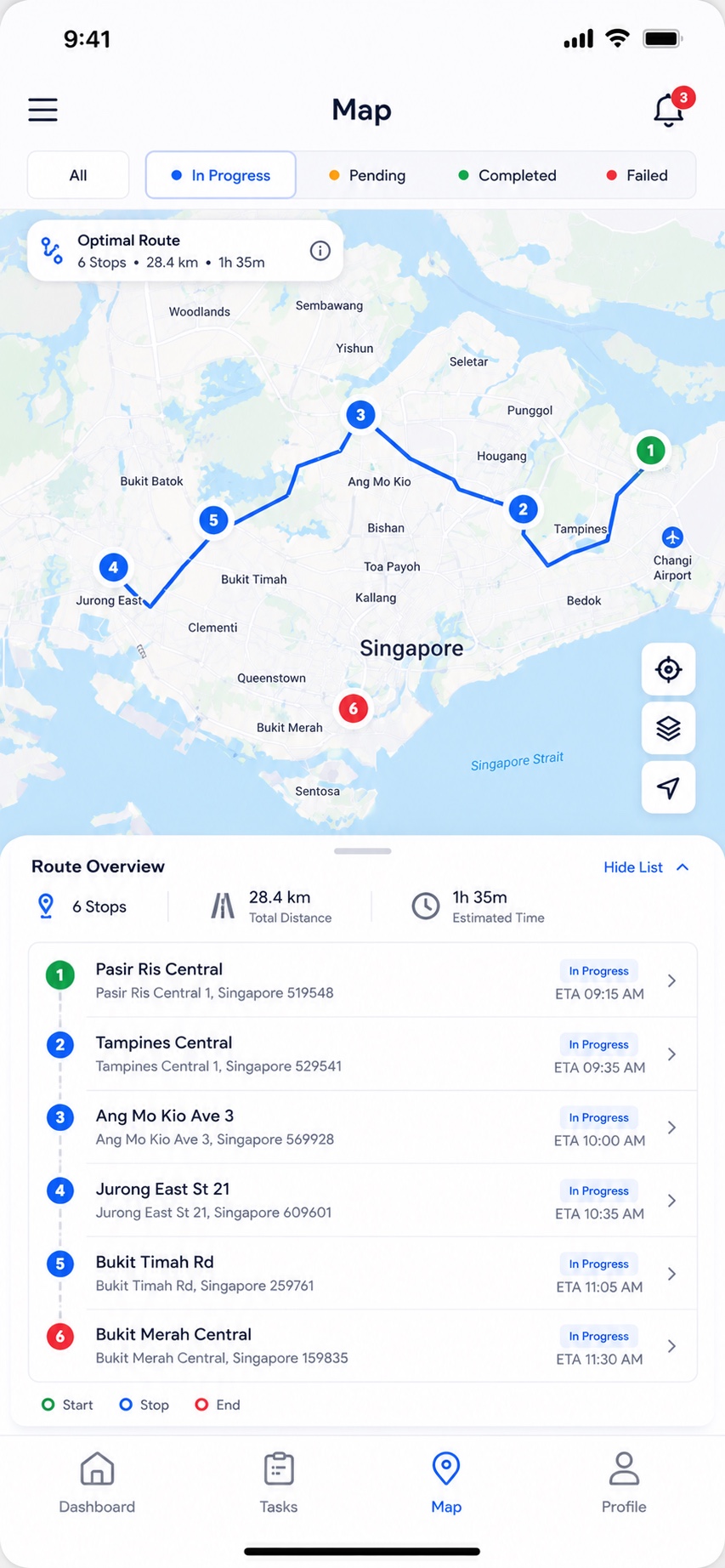
DMS gives operations teams a live view of every collection and delivery. The web dashboard tracks tasks by status — in progress, pending, completed and failed — alongside a task-status distribution, daily overviews, per-location summaries and activity trends. Dispatchers can create collections and deliveries, assign them to drivers, follow them on a live map, and generate reports.
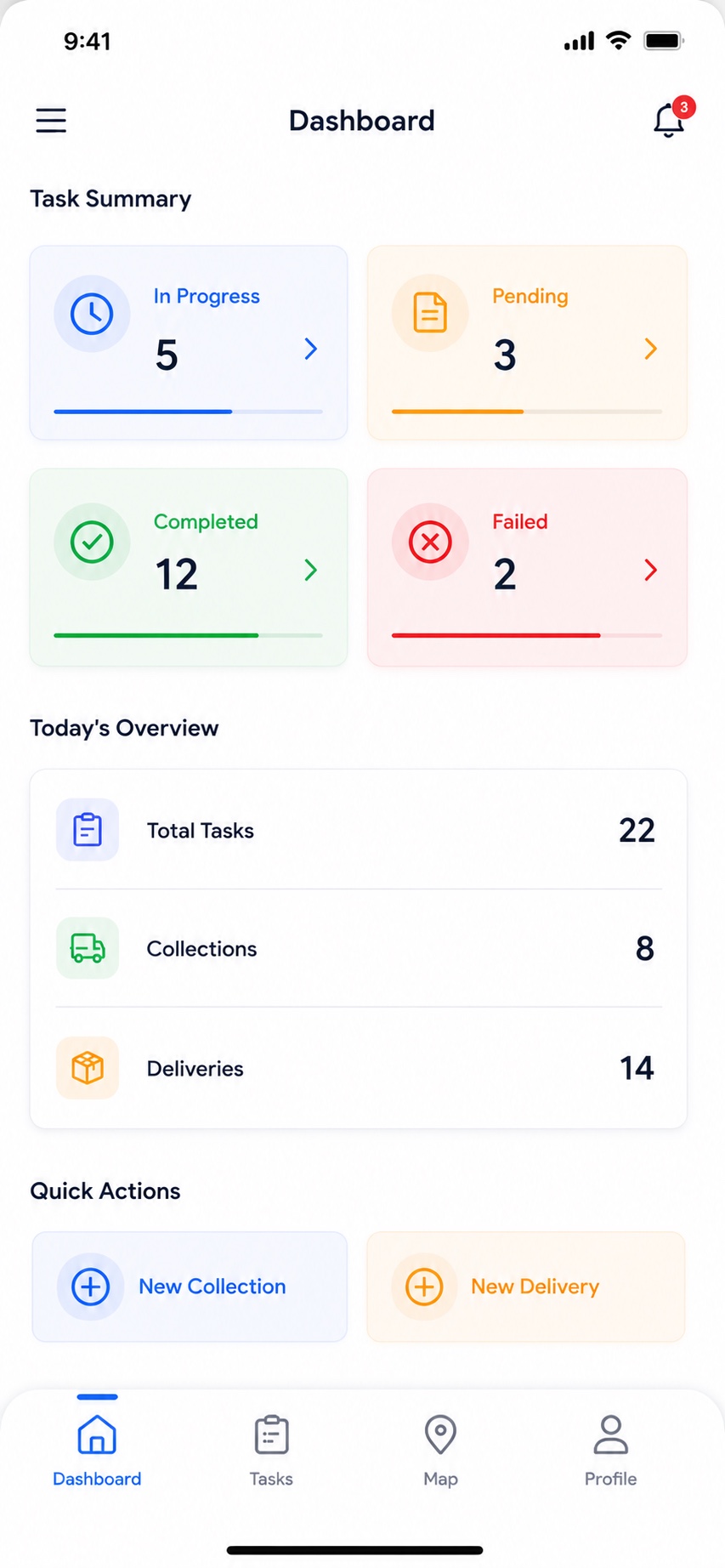
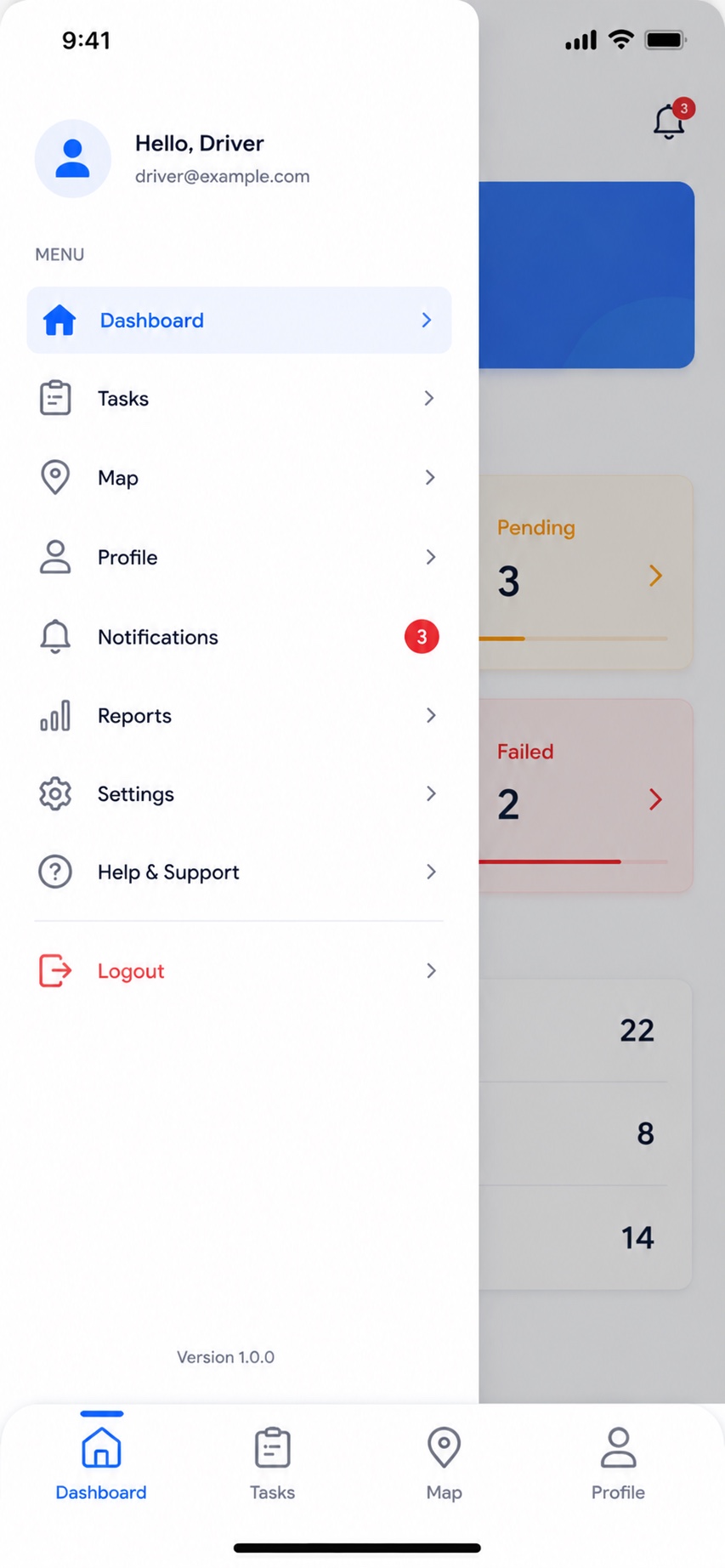
Out in the field, drivers get a focused mobile app showing their assigned tasks, today's collections and deliveries, and quick actions to start new jobs — with map navigation and QR scanning to keep every pickup and drop-off accurate.
Key features
- Web admin dashboard: in-progress / pending / completed / failed task tracking
- Task-status distribution, daily overviews and activity trends
- Collection & delivery tasks with priorities and assigned drivers
- Driver management and per-location task summaries
- Live map view for tracking tasks and locations
- Native driver apps (iOS & Android) with assigned tasks and quick actions
- QR-code scanning for accurate pickups and drop-offs
- Reports, exports and role-based user access — synced in real time across web and mobile
On mobile
Customer Relationship Management System
A CRM platform that helps sales teams capture leads, manage contacts and deals, send quotes and track their pipeline — with a web dashboard and native iOS and Android apps that stay in sync.
Overview
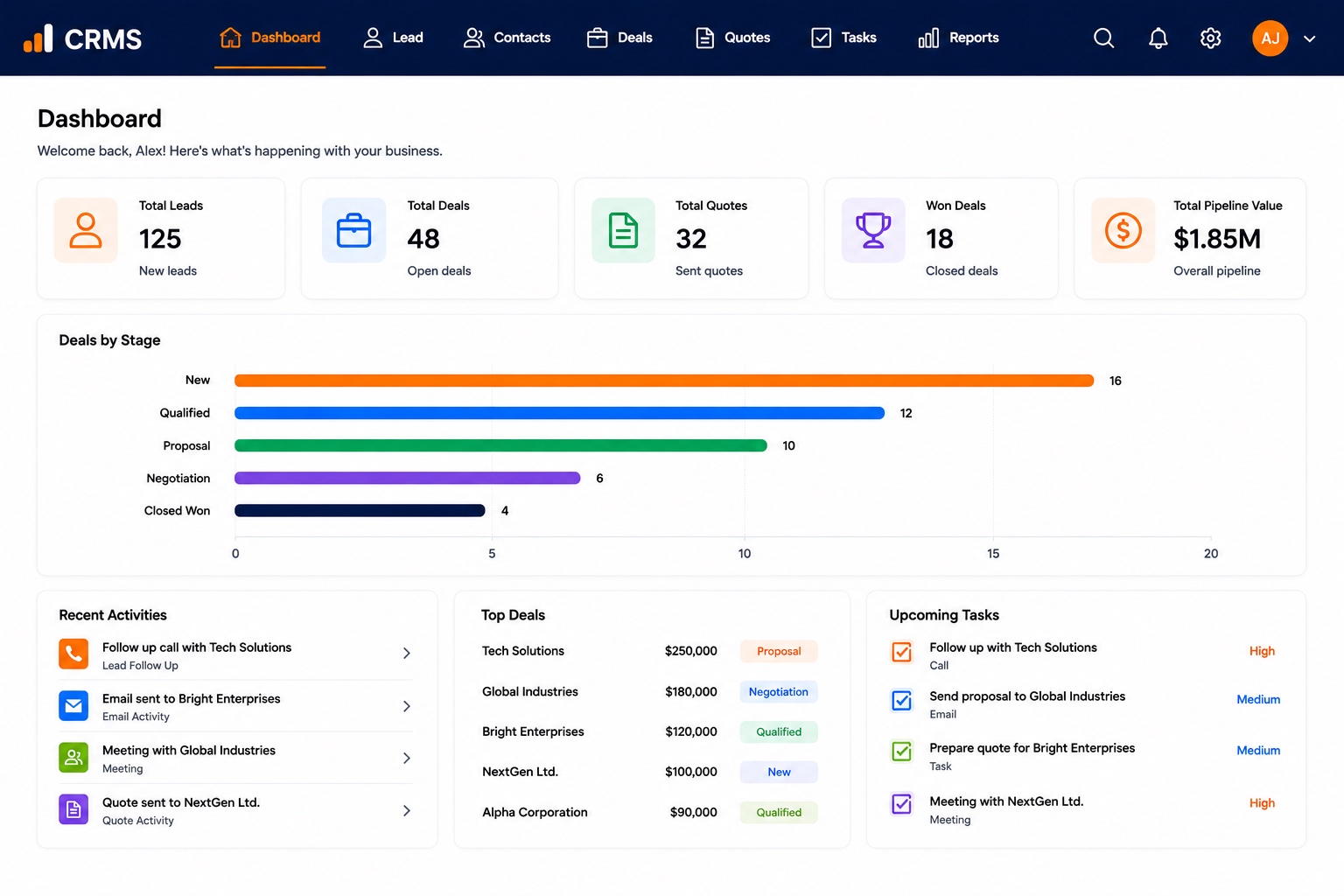
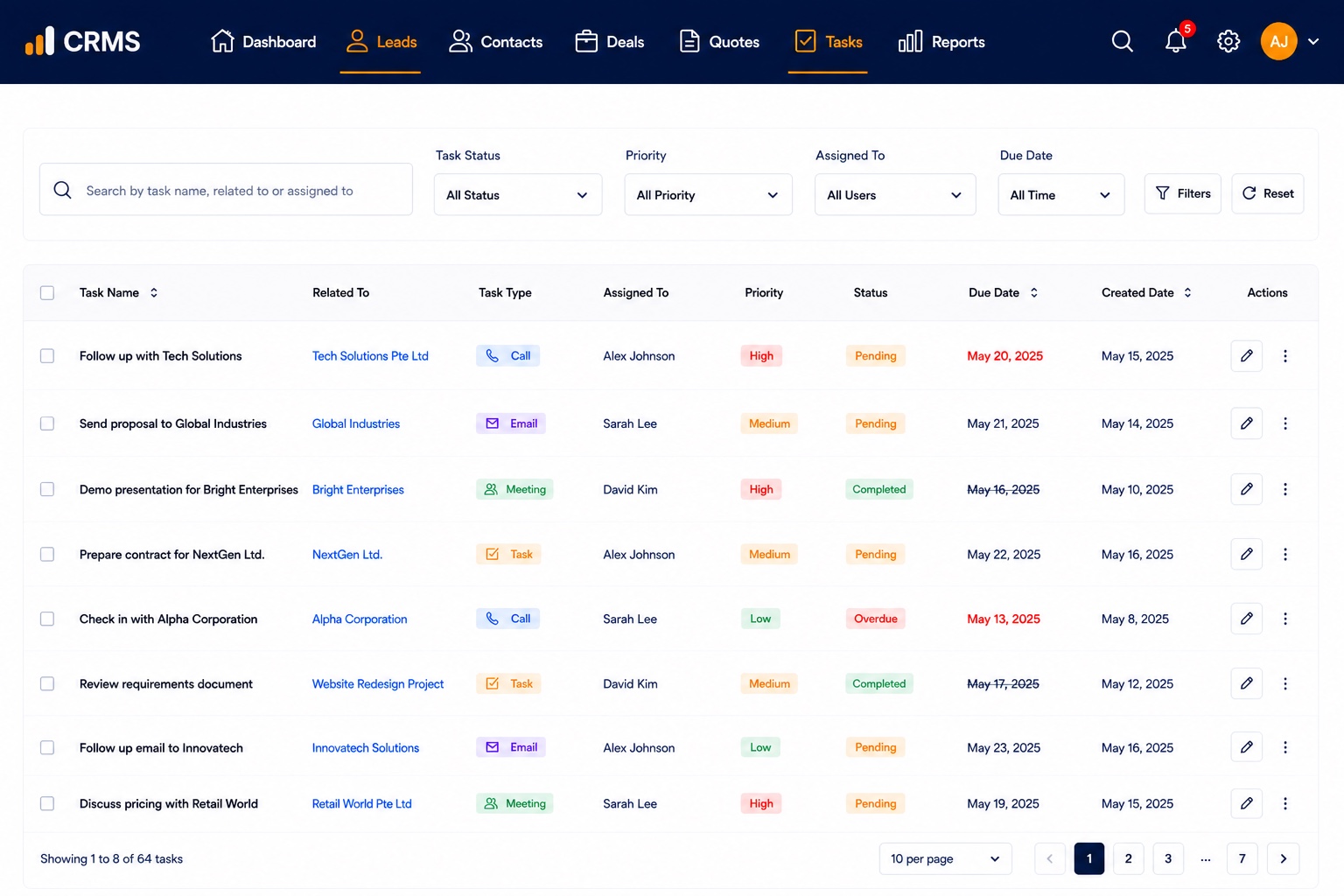
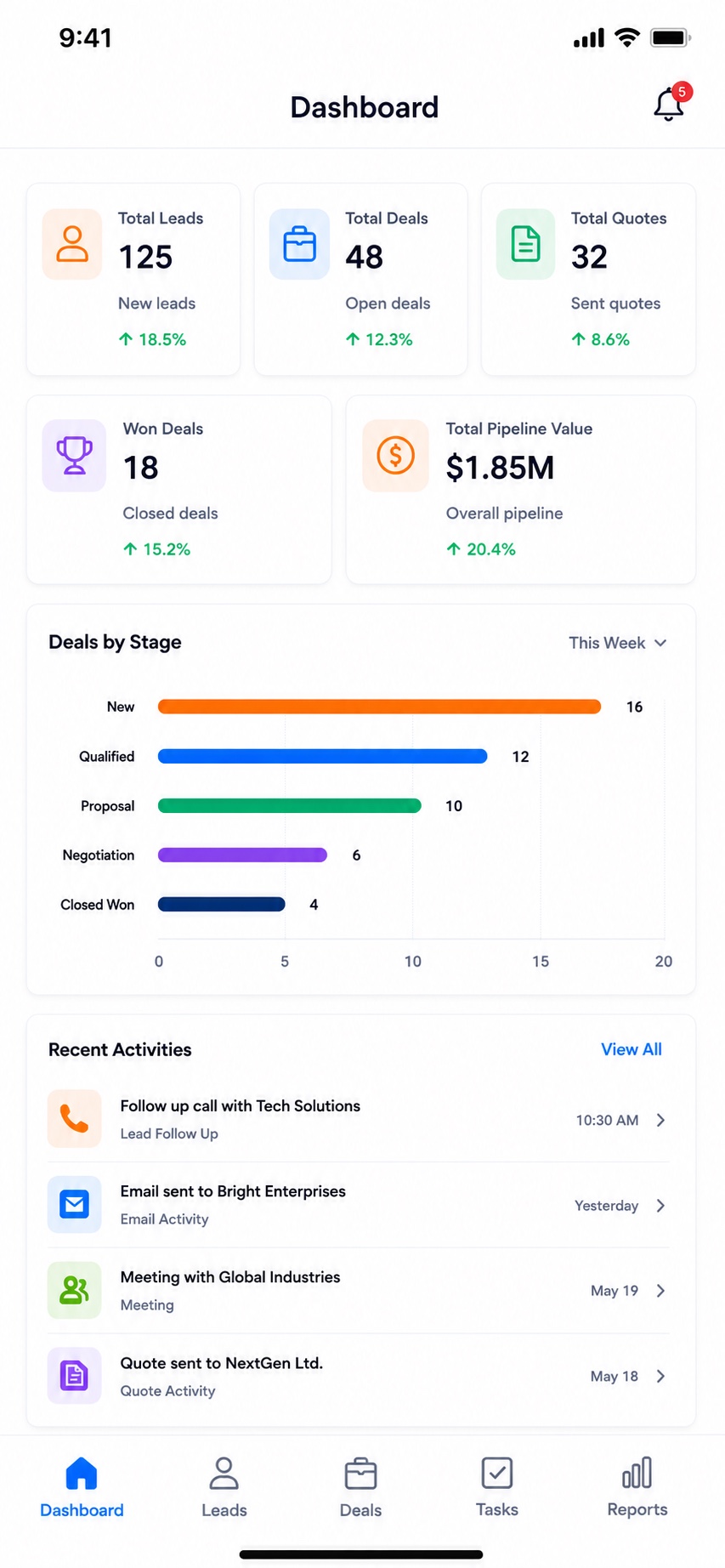
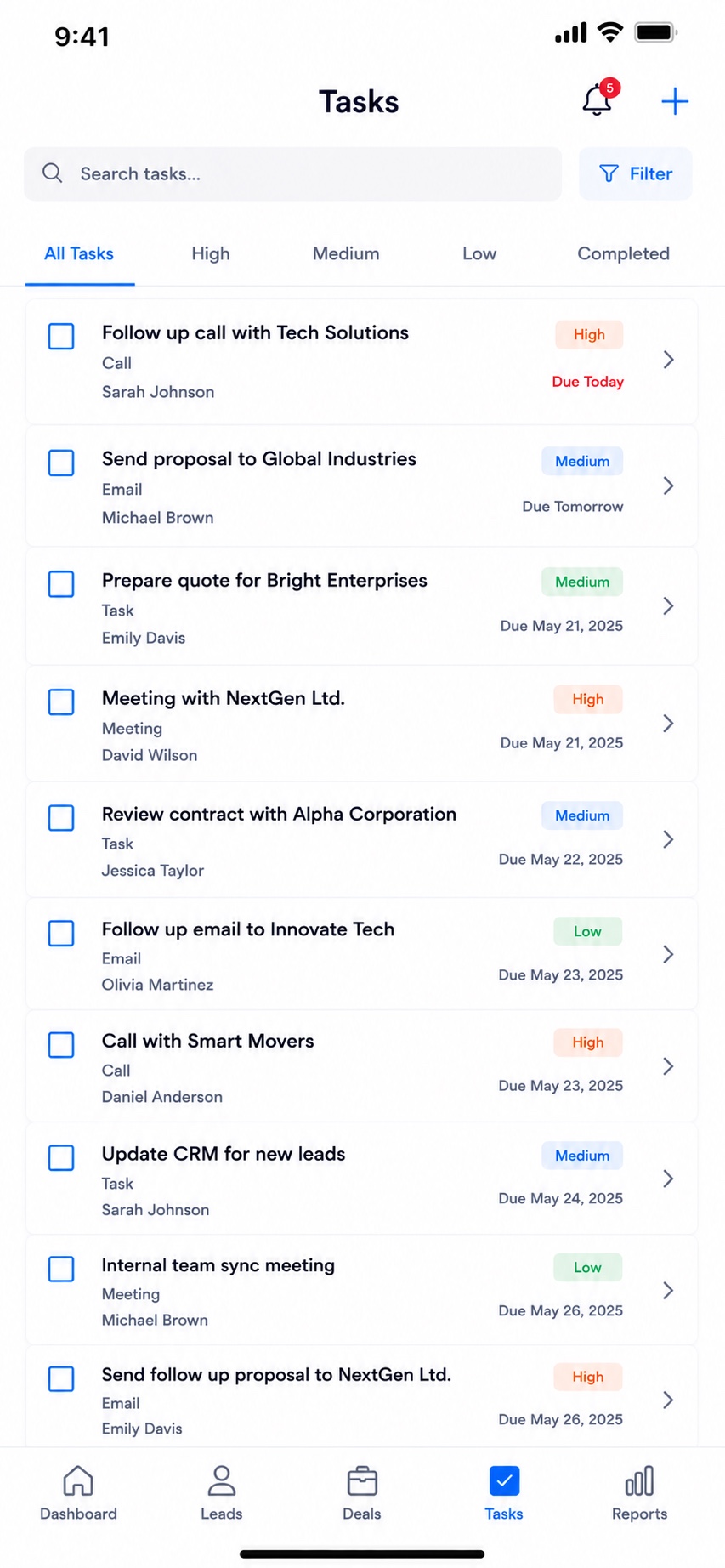
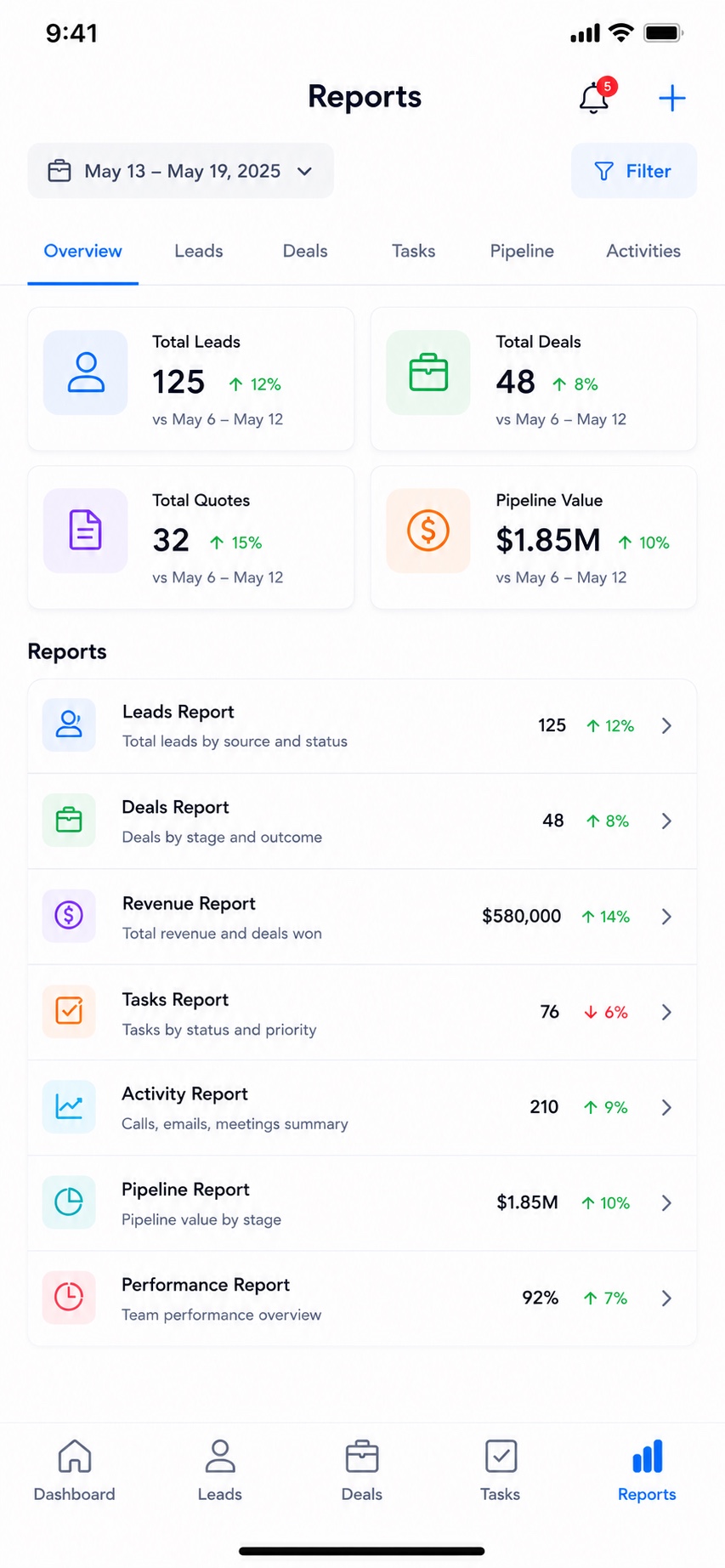
CRMS gives sales teams a single place to grow revenue. The web dashboard summarises total leads, open deals, sent quotes, won deals and overall pipeline value, with a deals-by-stage breakdown (new, qualified, proposal, negotiation and closed-won), recent activity, top deals and upcoming tasks.
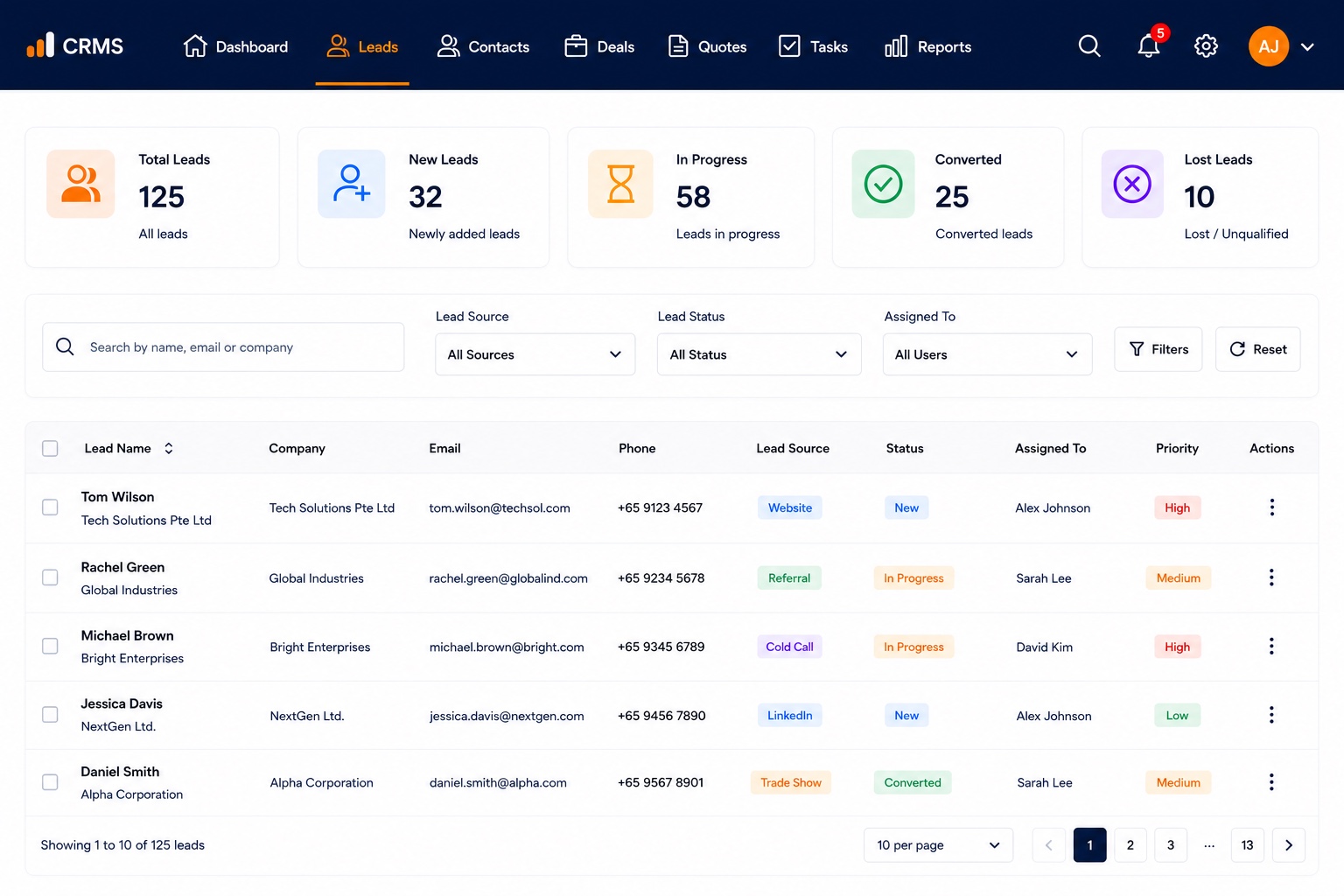
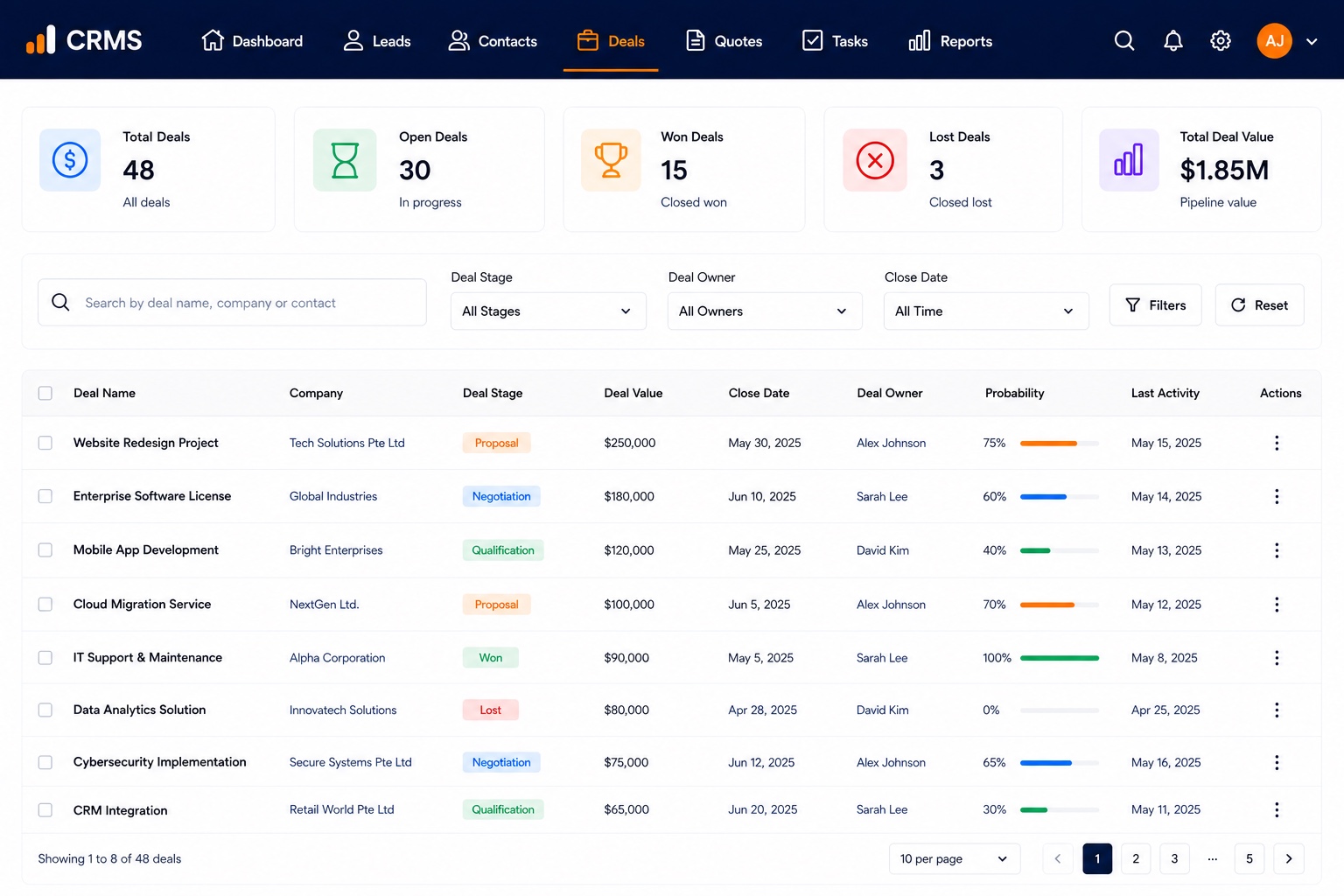
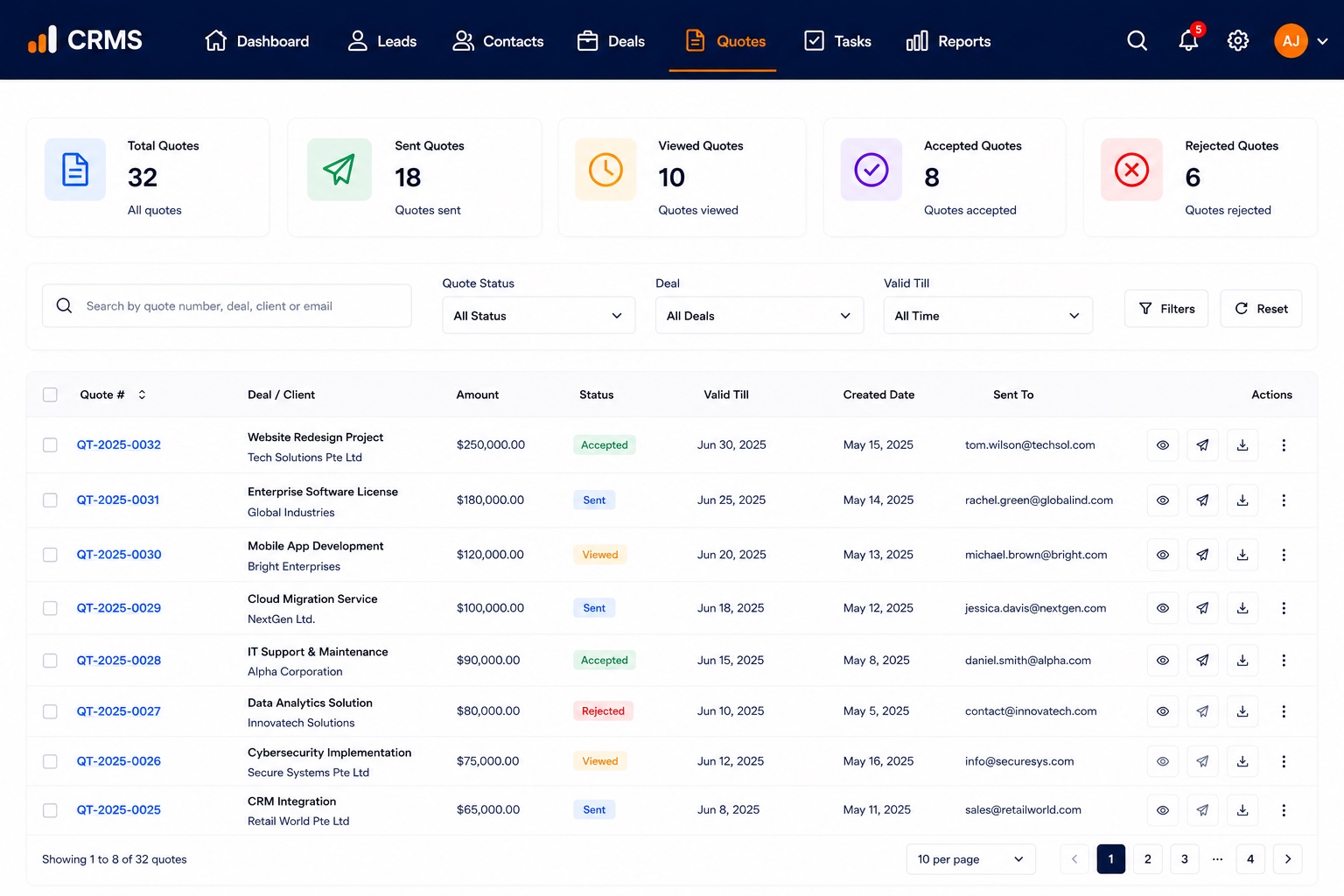
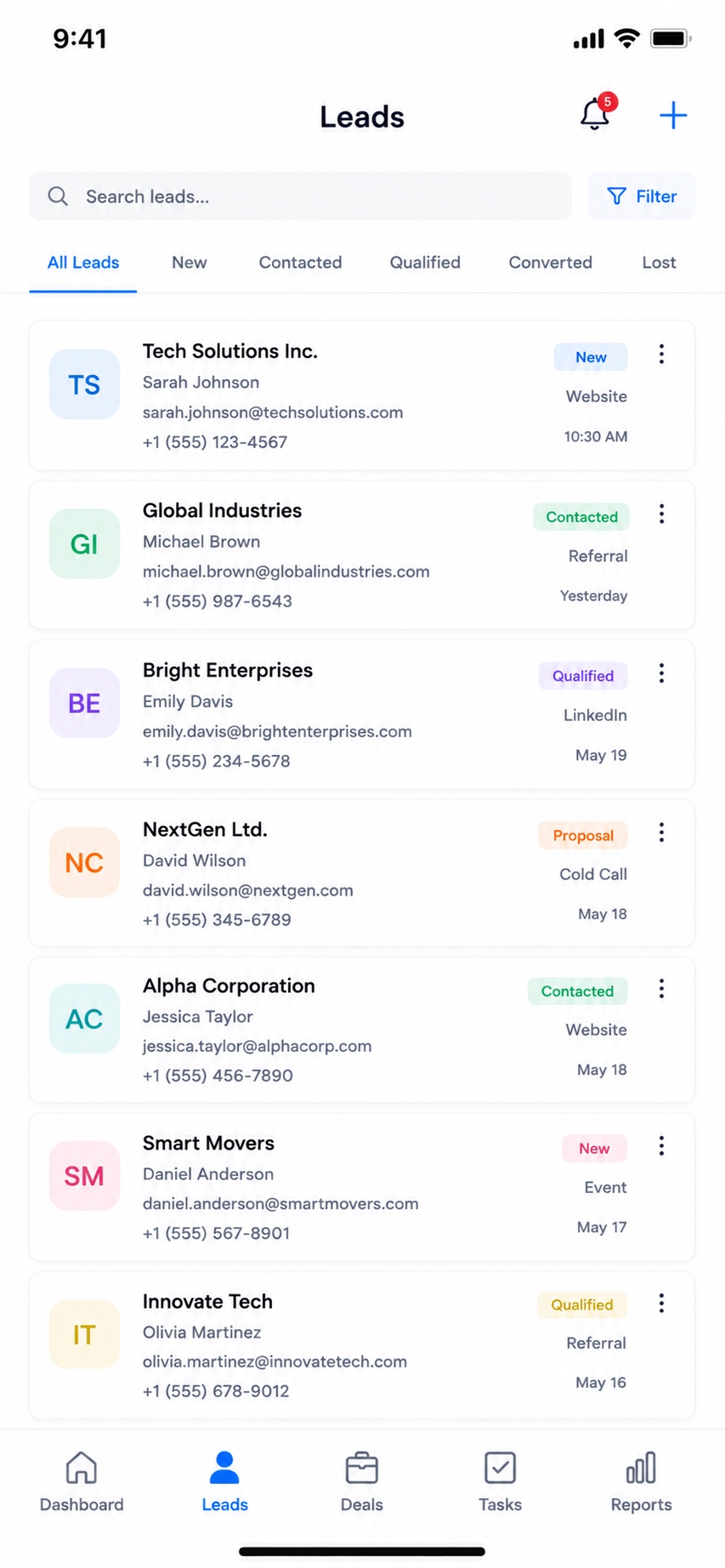
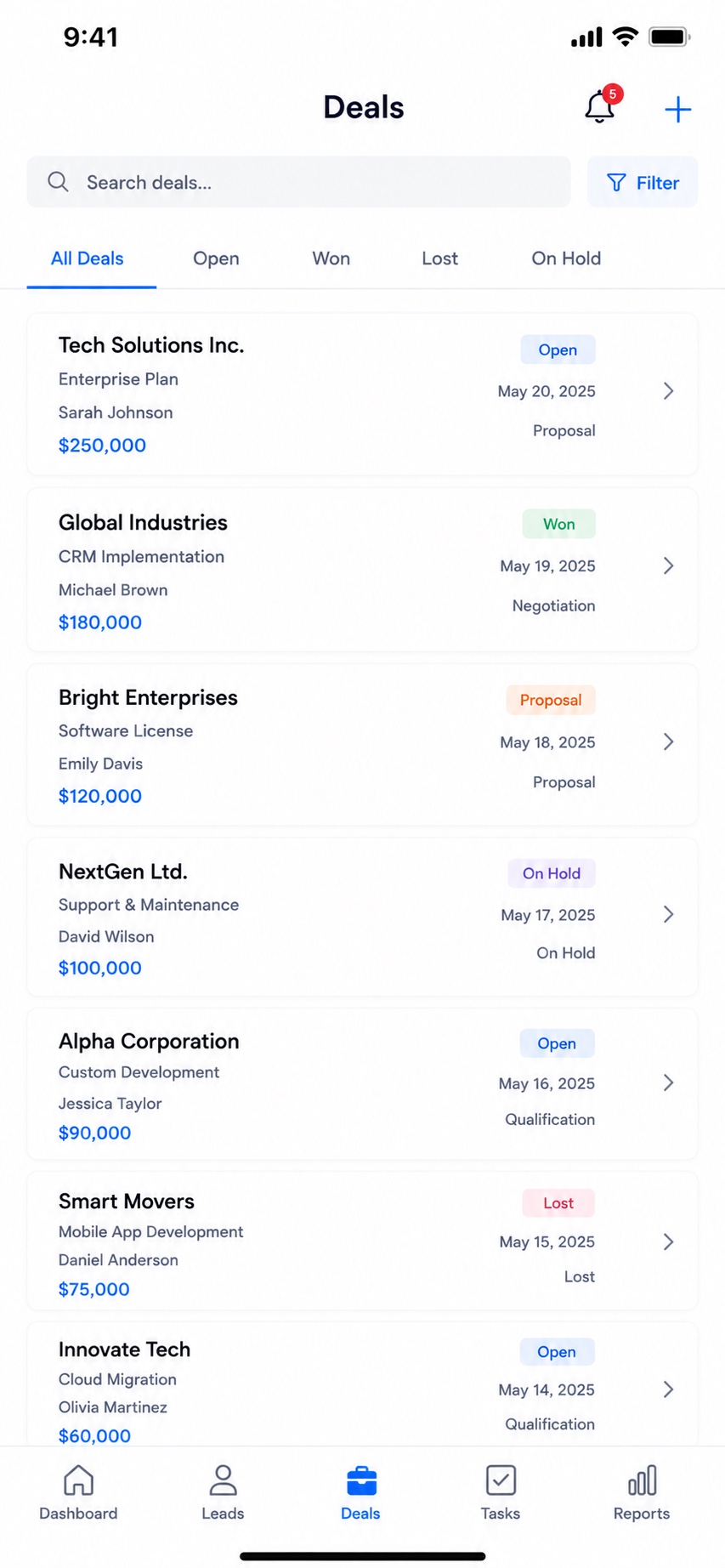
Reps can manage leads and contacts, move deals through the pipeline, create and send quotes, and stay on top of follow-ups — and on mobile the same pipeline travels with the team, so they can log calls, emails and meetings and action tasks from anywhere.
Key features
- Dashboard: total leads, open deals, sent quotes, won deals and pipeline value
- Visual deals-by-stage pipeline (new → qualified → proposal → negotiation → closed-won)
- Lead and contact management
- Deal tracking with values and stages
- Quote creation and sending
- Activity logging — calls, emails, meetings and quotes
- Tasks and follow-up reminders with priorities
- Reports and role-based access — synced across web, iOS and Android
On mobile
Health Management System
A health-management platform for clinics that brings patients, appointments and billing into one place — with a web dashboard and native iOS and Android apps for staff on the move.
Overview
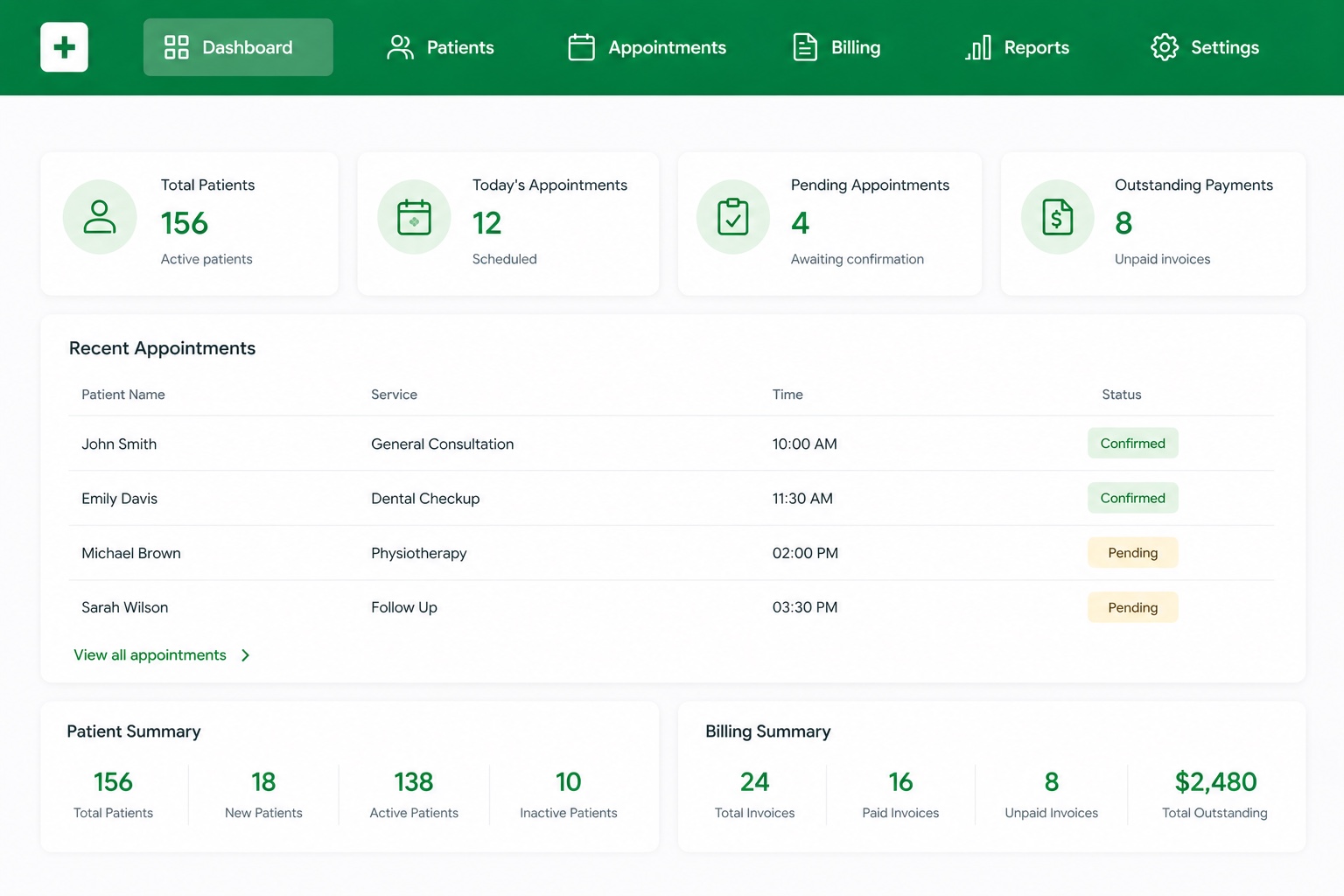
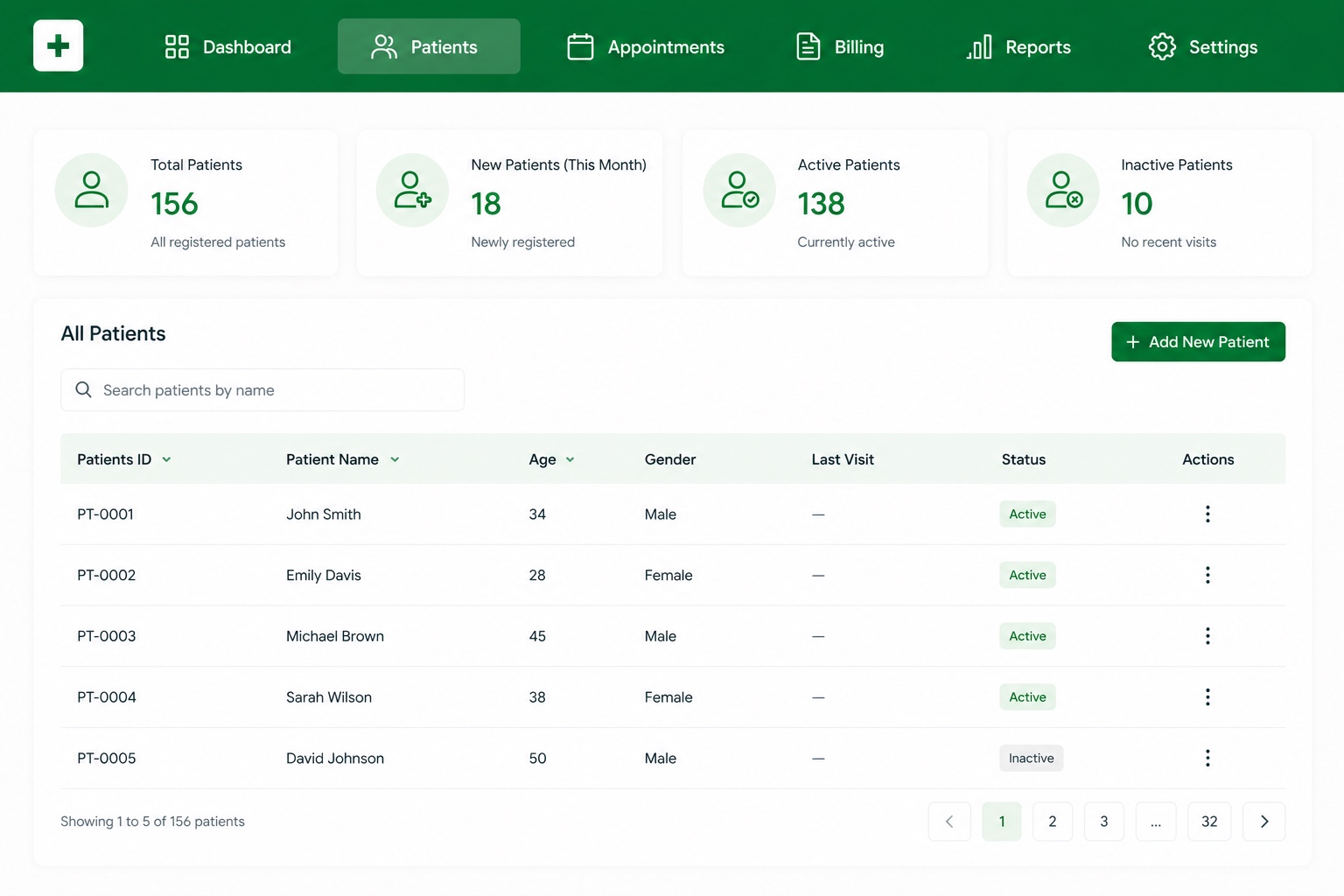
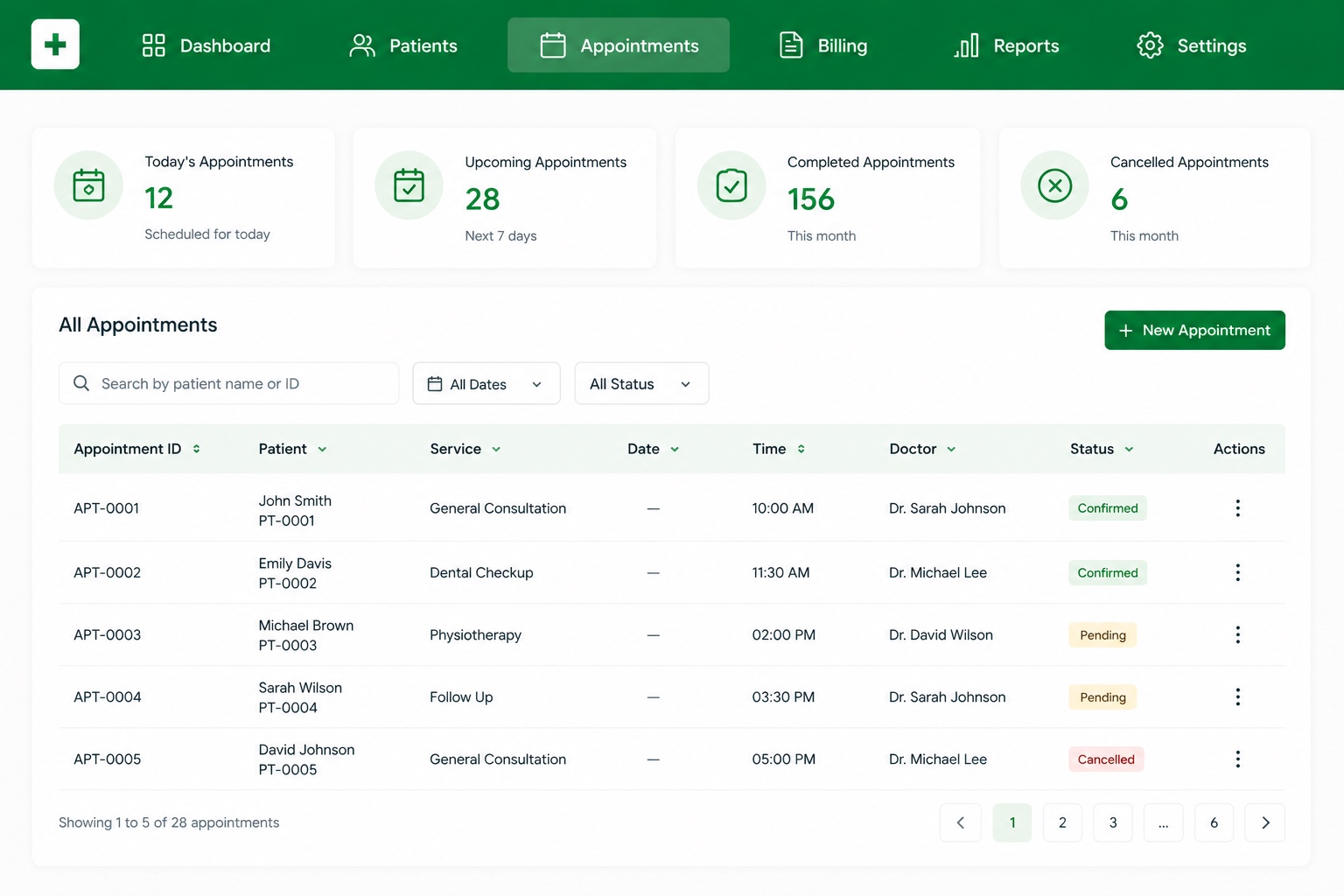
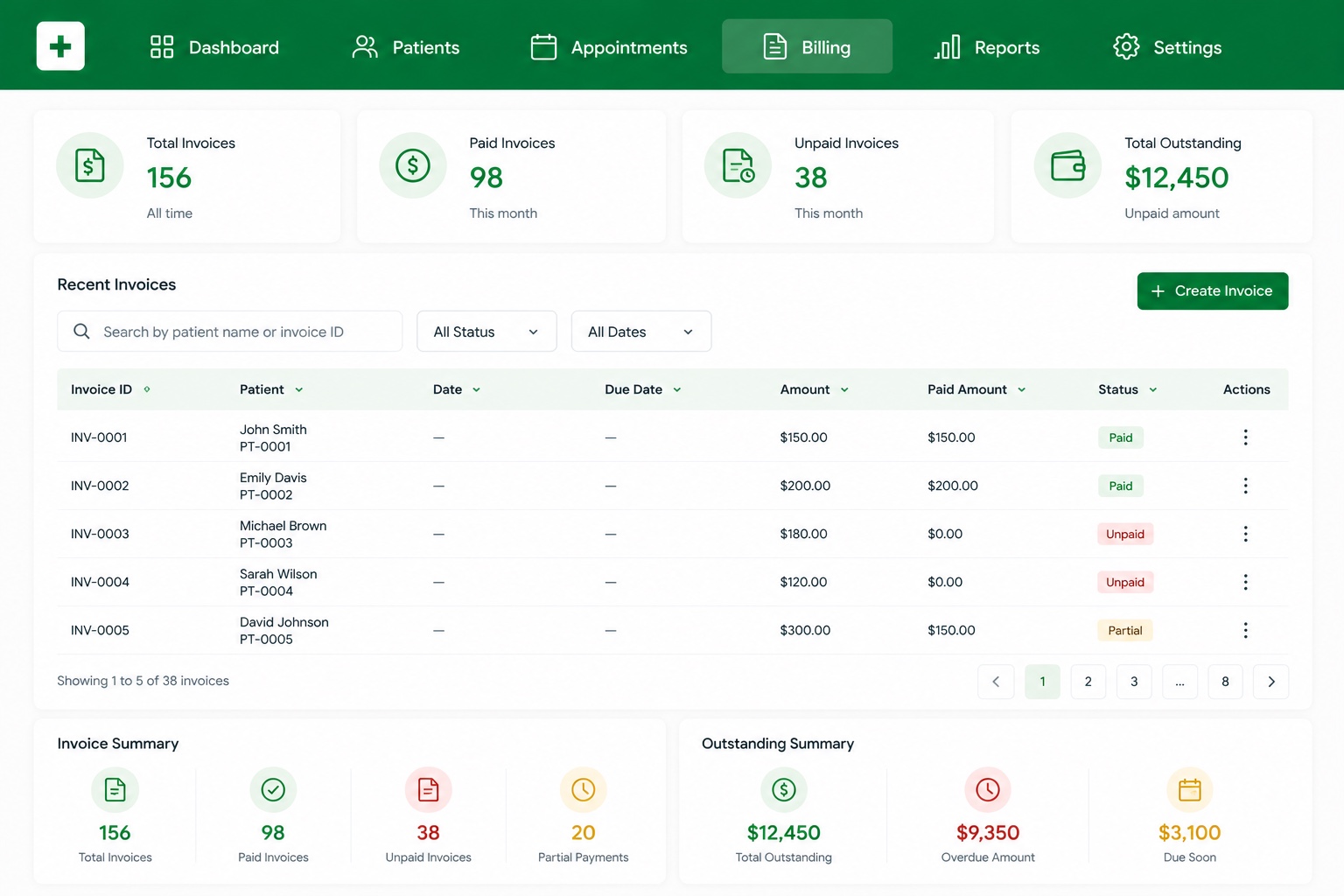
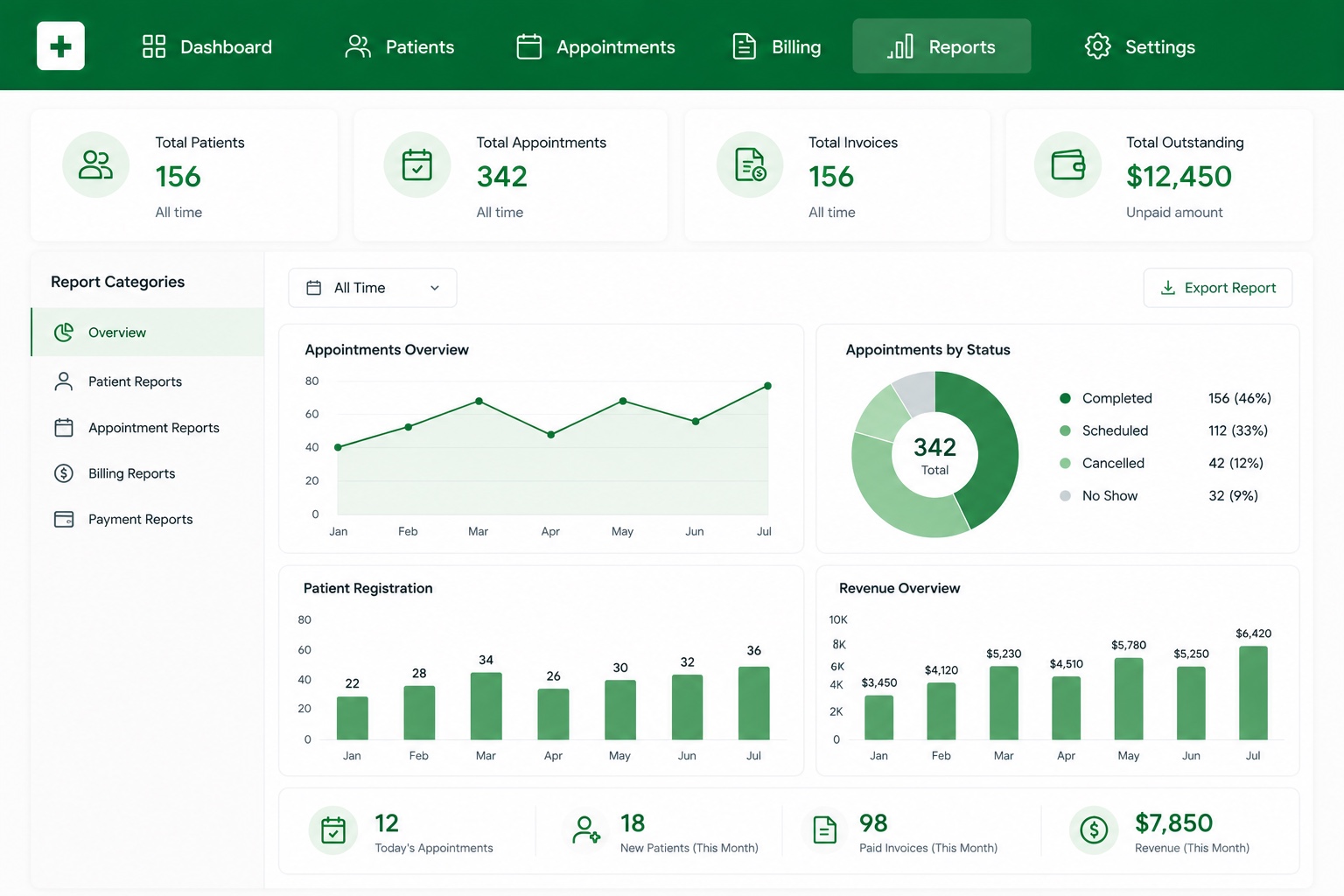
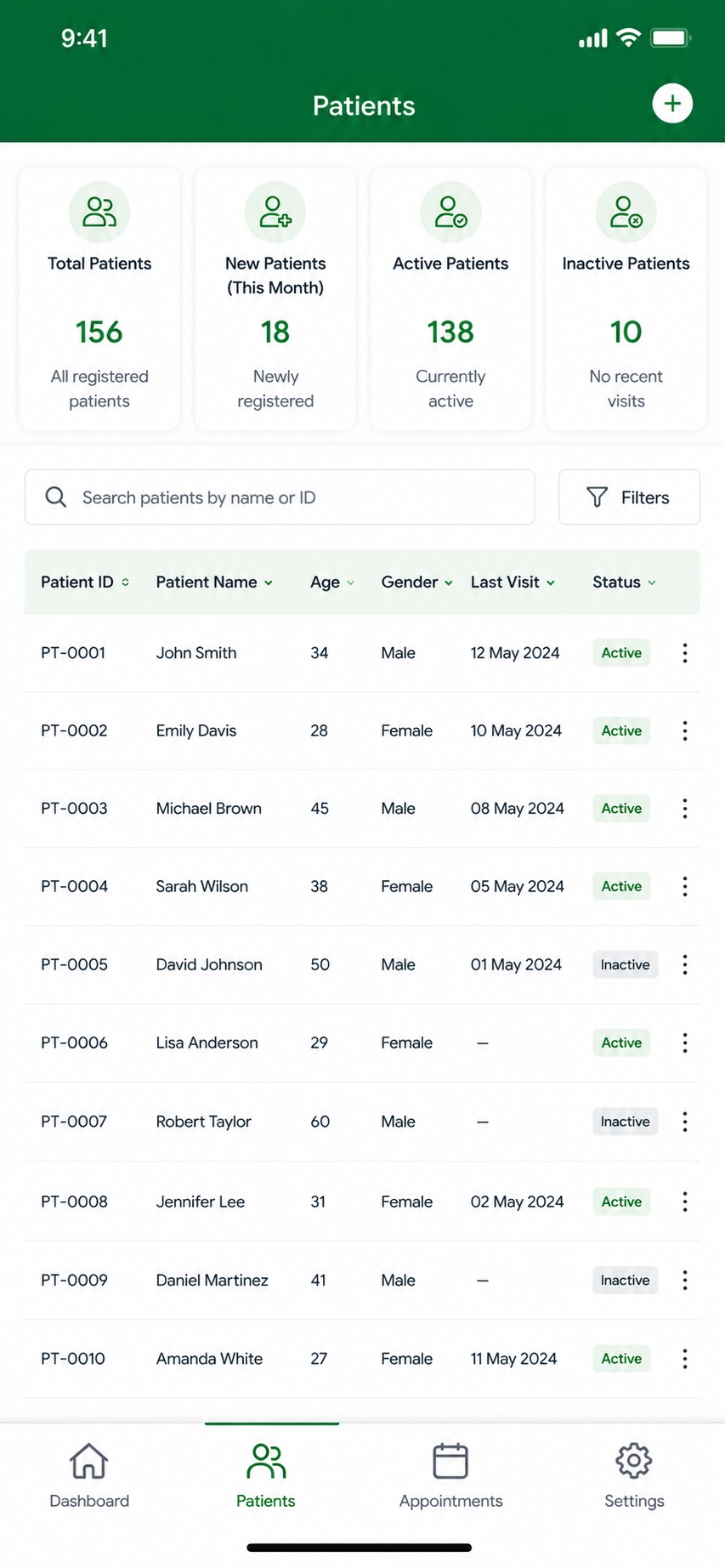
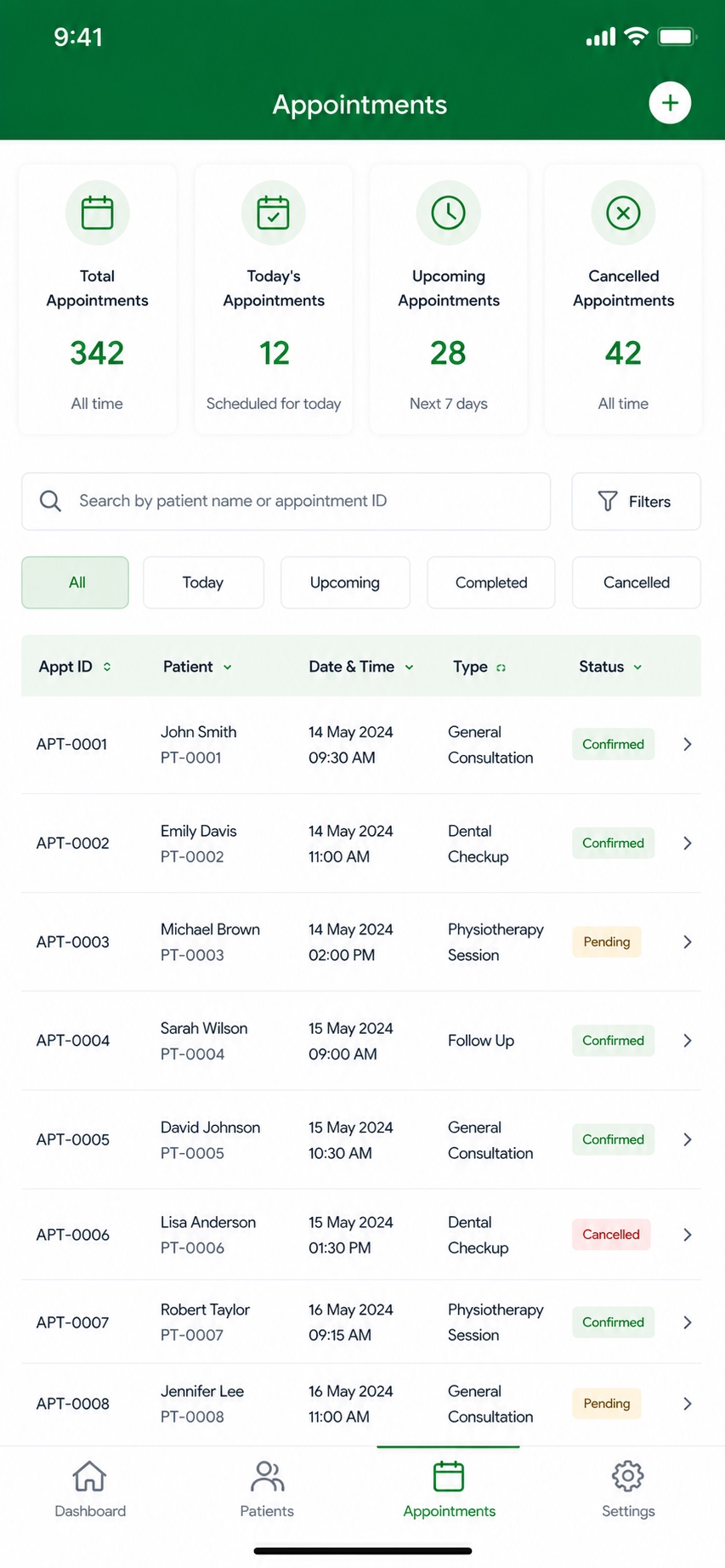
HMS gives clinics a clear daily picture: active patients, today's and pending appointments, and outstanding payments at a glance. Front-desk and clinical staff can manage patient records, schedule and confirm appointments, raise and track invoices, and review reports — with an appointments-overview trend and patient and billing summaries built in.
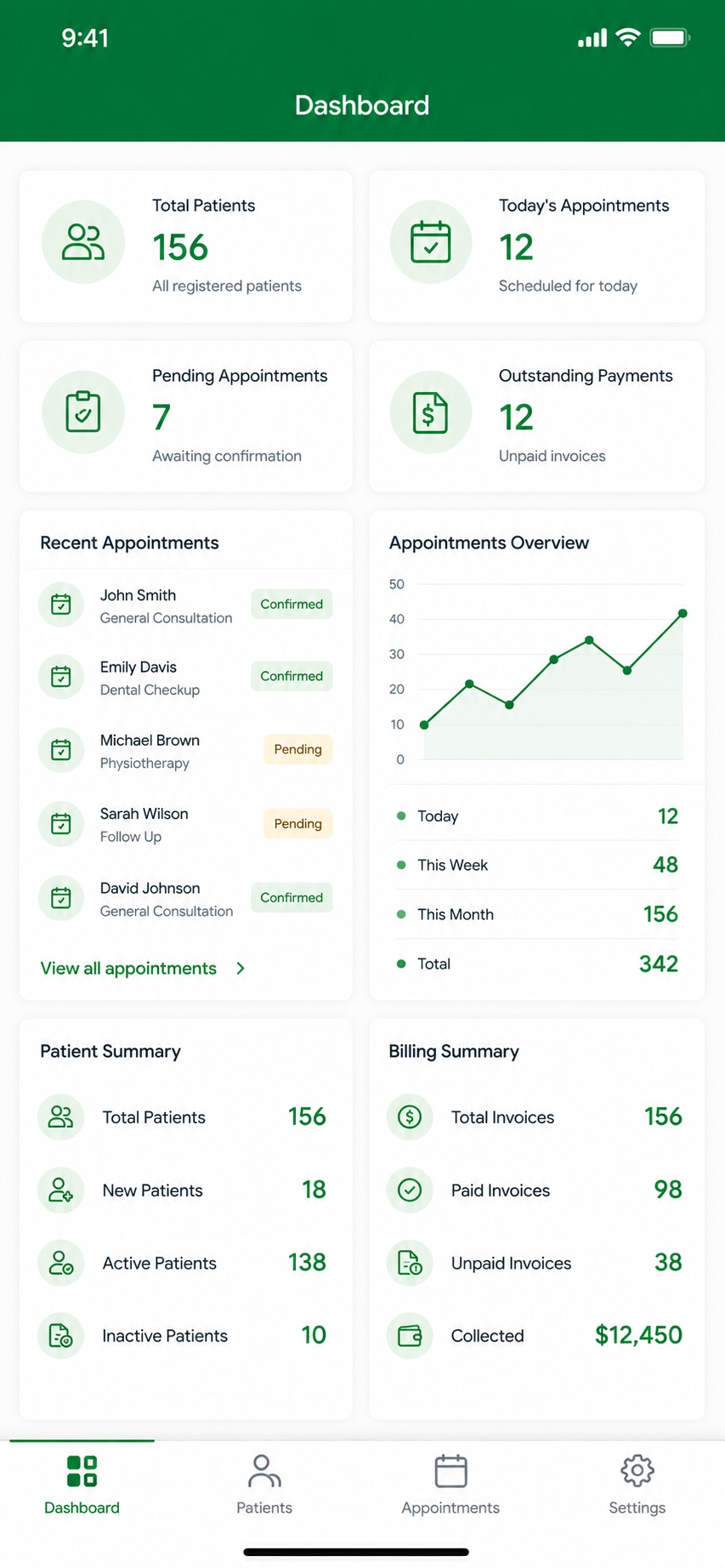
The mobile app keeps the same view within reach, so staff can check the day's schedule, confirm appointments and track billing from anywhere in the clinic.
Key features
- Dashboard: active patients, today's & pending appointments, outstanding payments
- Patient management with records and status (new / active / inactive)
- Appointment scheduling with confirmed / pending status
- Billing and invoicing — paid, unpaid and total outstanding
- Appointments-overview trends and patient / billing summaries
- Reports and clinic settings
- Native iOS and Android apps for staff on the go
- A consistent, synced experience across web and mobile
On mobile
Have a project in mind?
Tell us what you're building — we'll help you shape it, build it, and grow it.